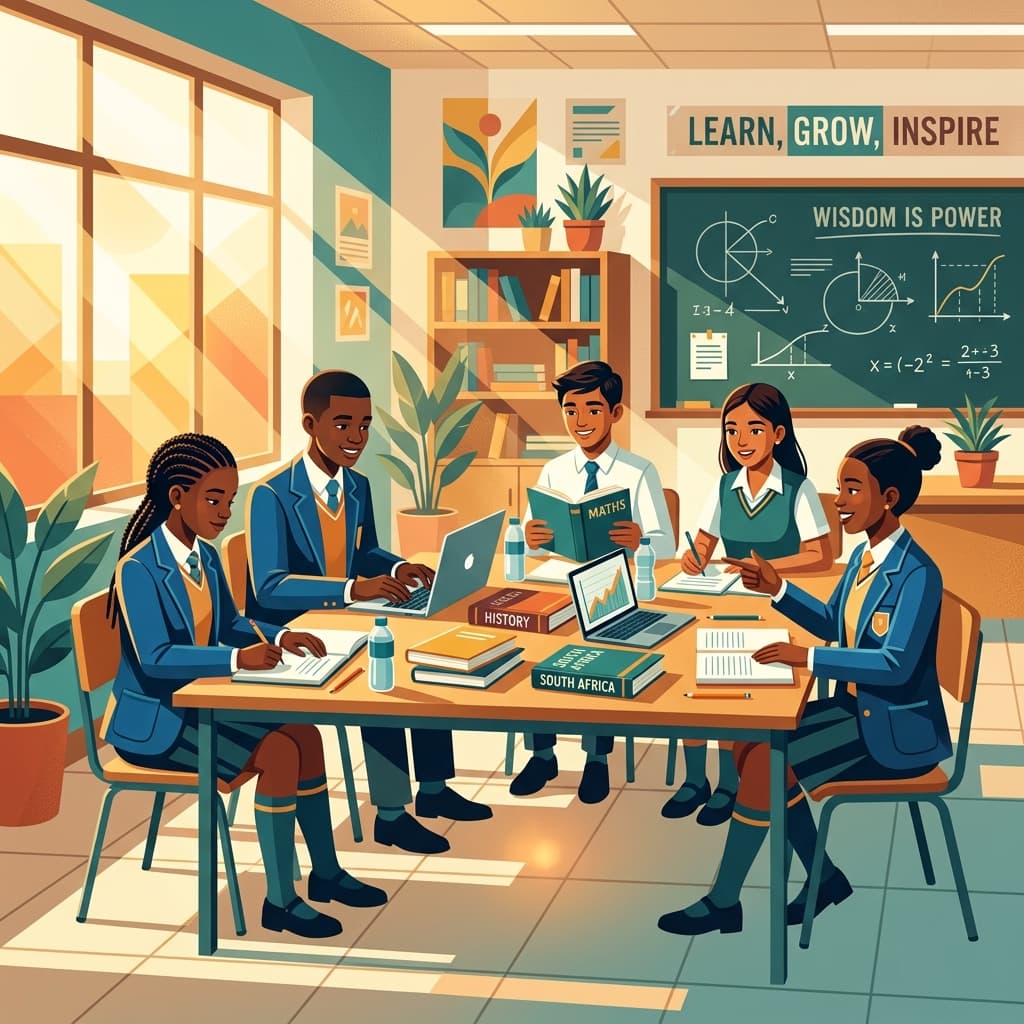
Navigating the demands of the CAPS curriculum, managing diverse classrooms, and inspiring young minds is a monumental task for South African teachers. We all know that feeling – the endless search for engaging resources, the struggle to differentiate instruction, and the constant push to make learning both meaningful and memorable, often with limited budgets and time.
The good news is that the digital landscape offers a treasure trove of free online tools and websites designed to lighten your load, spark student curiosity, and transform your teaching practice. As a fellow educator, I understand the importance of practical, easy-to-implement solutions. This comprehensive guide is crafted specifically for you, aiming to introduce you to powerful, free resources that can be seamlessly integrated into your South African classroom, whether you're teaching Foundation Phase or FET.
Let's dive into the best free websites and tools that can truly make a difference in your daily teaching life.
Enhancing Lesson Planning & Resource Creation
Crafting compelling lessons and visually appealing resources can be incredibly time-consuming. These tools empower you to create professional-looking materials with ease.
Visuals and Presentations: Making Lessons Pop
Visual aids are fundamental to effective teaching, helping students grasp complex concepts and engage more deeply with content.
Canva for Education:
- What it is: A user-friendly graphic design platform that offers a vast library of templates, images, icons, and fonts. The "Canva for Education" programme provides premium features for free to eligible teachers and schools.
- How SA Teachers can use it:
- Creating Stunning Worksheets: Design custom worksheets that are visually appealing and perfectly aligned with CAPS content, from Grade R literacy activities to Grade 12 study guides for specific subjects like Business Studies or Life Sciences.
- Infographics for Complex Concepts: Condense complex topics like the water cycle, historical timelines, or the structure of an atom into easy-to-understand infographics. This is invaluable for visual learners across all grades.
- Posters & Classroom Decor: Design engaging posters for rules, academic vocabulary walls, or motivational quotes.
- Student Projects: Students can use Canva to create presentations, posters, or even short video summaries for projects, fostering digital literacy and creative expression.
- CAPS Link: Directly supports visual literacy, encourages creative expression in projects, and provides a platform for teachers to create highly differentiated resources tailored to specific learning outcomes in any subject.
Google Slides & Google Docs:
- What they are: Part of Google Workspace, these are free, cloud-based word processing and presentation tools that allow for real-time collaboration. All you need is a Google account.
- How SA Teachers can use them:
- Collaborative Lesson Planning: Share lesson plans with colleagues, make edits, and add comments simultaneously, streamlining departmental collaboration.
- Interactive Presentations: Create dynamic presentations with embedded videos, links, and even interactive questions. Use Google Slides for your daily lessons, introducing new concepts in History, Languages, or EMS.
- Differentiated Worksheets & Notes: Easily create and distribute editable documents for students to complete online, reducing printing costs. Adapt the same core content to different reading levels or learning needs for subjects like English First Additional Language or Home Language.
- Student Collaboration: Students can work together on group projects, essays, or research assignments in real-time, regardless of their location, ideal for Grade 7-12 group tasks in subjects like Geography or Life Orientation.
- CAPS Link: Facilitates collaborative learning, supports diverse learning styles through multimedia integration, and provides a robust platform for both teacher resource creation and student output, meeting various assessment criteria.
Accessing & Adapting Open Educational Resources (OER)
Don't reinvent the wheel! Many excellent resources are already available and freely adaptable.
- Various OER Repositories (e.g., Siyavula, OER Commons, African Storybook):
- What they are: Online platforms hosting educational materials that are freely available for anyone to use, adapt, and redistribute under an open license. Siyavula is a notable South African example focused on Maths and Science.
- How SA Teachers can use them:
- Finding Ready-Made Content: Locate textbooks, worksheets, lesson plans, and interactive activities for subjects like Maths, Science, and Languages. This can save hours of preparation time.
- Adapting to Local Context: Many OERs can be downloaded and modified to better suit the specific needs of your students or align more closely with local CAPS curriculum nuances and cultural contexts.
- Supplementing Textbooks: Use OERs to provide additional practice, different explanations, or enrichment activities beyond the prescribed textbook.
- CAPS Link: Directly supports content delivery in all subjects, promotes contextualization of learning materials, and offers diverse perspectives to enhance teaching and learning, especially beneficial for resource-scarce environments.
Interactive Learning & Student Engagement
Keeping students engaged is paramount. These tools transform passive learning into active, dynamic experiences, perfect for reinforcing concepts and sparking discussion.
Gamified Learning & Quizzes
Make learning fun and instantly gauge understanding with these interactive quiz platforms.
Kahoot!:
- What it is: A game-based learning platform that creates multiple-choice quizzes (called 'kahoots') that students answer in real-time using their devices.
- How SA Teachers can use it:
- Formative Assessment: Quickly check understanding at the end of a lesson or unit in any subject. For example, after teaching a new concept in Natural Sciences, run a Kahoot! to see who's grasped it.
- Lesson Starters/Recaps: Engage students right at the start of a lesson with a quick quiz on prior knowledge, or use it for a fun revision session before an assessment.
- Breaks & Icebreakers: Inject energy into the classroom, especially useful for longer lessons or after a particularly intense session.
- CAPS Link: Excellent for continuous assessment (informal), promotes active recall, encourages peer learning, and supports differentiated instruction as teachers can see individual student performance instantly to address learning gaps.
Quizizz:
- What it is: Similar to Kahoot! but allows students to progress at their own pace, making it suitable for individual practice and homework. It also offers a vast library of pre-made quizzes.
- How SA Teachers can use it:
- Student-Paced Practice: Assign quizzes for homework or independent study, allowing students to revisit content like historical events or mathematical formulas at their own speed.
- Pre-Assessments: Gauge prior knowledge on a new topic before you begin teaching it, helping you tailor your instruction.
- Review & Remediation: Students can play quizzes multiple times to reinforce learning, with instant feedback on correct and incorrect answers.
- CAPS Link: Supports self-directed learning, provides immediate feedback crucial for mastery, and offers valuable data for teachers to identify areas needing re-teaching or intervention, aligning with ongoing assessment principles.
Mentimeter:
- What it is: An interactive presentation tool that allows you to gather real-time input from your audience through polls, word clouds, open-ended questions, and Q&A sessions.
- How SA Teachers can use it:
- Quick Checks for Understanding: Ask a quick multiple-choice question during a lesson and instantly see the class's understanding.
- Brainstorming & Idea Generation: Use word clouds to gather student ideas on a topic (e.g., "What comes to mind when we talk about democracy?").
- Anonymous Feedback: Allow students to ask questions anonymously, which can be particularly helpful for shy learners or sensitive topics in Life Orientation.
- CAPS Link: Fosters active participation, provides immediate formative assessment data, encourages critical thinking, and creates an inclusive environment for all student voices to be heard.
Collaborative Boards & Brainstorming
- Padlet:
- What it is: A virtual bulletin board where users can post text, images, videos, and links. It's highly versatile for collaboration.
- How SA Teachers can use it:
- Brainstorming Sessions: Students can contribute ideas for a group project, a creative writing piece, or solutions to a problem in Technology or Economic Management Sciences (EMS).
- Virtual Notice Board: Share resources, assignments, and announcements in an engaging visual format.
- Exit Tickets: Ask students to post one thing they learned or one question they still have at the end of a lesson.
- Resource Curation: Teachers and students can collectively build a collection of relevant websites, articles, or videos for a research topic.
- CAPS Link: Promotes collaborative learning, encourages creative expression, facilitates resource sharing, and provides a dynamic platform for both formative assessment and project-based learning.
Assessment & Feedback Made Easy
Efficient assessment and timely feedback are critical for student progress. These tools simplify these processes, freeing up your valuable time.
Formative Assessment & Quizzing
Google Forms:
- What it is: A versatile tool for creating surveys, quizzes, and data collection forms. It integrates seamlessly with Google Sheets for data analysis.
- How SA Teachers can use it:
- Automated Quizzes: Create self-marking quizzes for any subject, from Maths calculations to History dates. Set correct answers and feedback for instant results for students.
- Exit Tickets & Quick Polls: Gather quick feedback on lessons or gauge student understanding of specific concepts.
- Student Surveys: Collect anonymous feedback from students about teaching methods, course content, or classroom environment.
- Data Collection for Interventions: Track student progress over time, identify common misconceptions, and inform targeted interventions, especially useful for identifying learning barriers.
- CAPS Link: Highly effective for continuous assessment, provides immediate feedback, generates actionable data for differentiated instruction and remediation, and supports a range of assessment formats.
Socrative:
- What it is: A simple student response system that allows teachers to create quizzes, polls, and 'Space Races' (a fun competitive quiz format).
- How SA Teachers can use it:
- Quick Quizzes & Exit Tickets: Ideal for rapid checks of understanding at any point in a lesson.
- Space Race: Engage students in a team-based competition to answer questions, great for review lessons in subjects like Life Orientation or Natural Sciences.
- True/False & Multiple Choice: Efficiently assess recall and basic comprehension.
- CAPS Link: Facilitates frequent, low-stakes formative assessment, encourages active participation, and provides immediate feedback to both teachers and students.
Flashcards & Vocabulary Builders
- Quizlet:
- What it is: A platform for creating and using flashcards, study games, and practice tests for vocabulary and concepts.
- How SA Teachers can use it:
- Vocabulary Development: Create flashcard sets for new terminology in any subject – scientific terms, historical figures, mathematical definitions, or literary vocabulary for Language classes.
- Revision & Memorisation: Students can use various study modes (Learn, Flashcards, Write, Spell, Test, Match, Gravity game) to reinforce memorisation of key facts and concepts.
- Collaborative Study: Students can create and share their own study sets, fostering peer learning.
- CAPS Link: Supports vocabulary acquisition, promotes active revision strategies, caters to different learning preferences for memorisation, and can be used for foundational knowledge in all learning areas.
Collaboration & Communication
Effective communication is the cornerstone of a successful learning environment. These tools help streamline interactions with students and parents.
Classroom Management & Parent Engagement
- Google Classroom (Free Tier):
- What it is: A blended learning platform that aims to simplify creating, distributing, and grading assignments, and communicating with students.
- How SA Teachers can use it:
- Assignment Distribution & Collection: Share assignments, documents, and resources digitally. Students can submit their work online, reducing paper use.
- Announcements & Communication: Post class announcements, reminders, and engage in discussions with students in a centralised location.
- Organising Resources: Create topic-based modules to store all related materials, making it easy for students to find what they need for subjects like Technology or Creative Arts.
- Feedback & Grading: Provide private feedback on assignments and manage grades efficiently.
- CAPS Link: Supports organised delivery of curriculum content, facilitates continuous assessment and feedback, promotes digital literacy, and provides a structured environment for independent and collaborative student work.
Lesson Planner
Generate comprehensive, CAPS-aligned lesson plans in seconds.
ClassDojo:
- What it is: A communication app for teachers, students, and families. It's widely used in primary schools for behaviour management and parent engagement.
- How SA Teachers can use it:
- Positive Behaviour Reinforcement: Award points for positive behaviours (e.g., participation, helping others, working hard), making classroom management more visual and engaging for Foundation and Intermediate Phase learners.
- Parent Communication: Share photos, videos, and messages directly with parents about their child's day or class activities, fostering a strong home-school connection.
- Student Portfolios: Students can upload their work to digital portfolios, showcasing their progress over time.
- CAPS Link: Supports holistic student development (Life Skills), encourages positive classroom culture, enhances parent involvement in their child's learning journey, and provides a platform for documenting student progress in creative and practical arts.
WhatsApp for Education (with strict guidelines):
- What it is: A widely used messaging app in South Africa. While not specifically designed for education, its ubiquity makes it a common communication tool.
- How SA Teachers can use it (with caution!):
- Quick Announcements to Parents: Share urgent updates, reminders for school events, or homework notifications, particularly in communities where data costs are a concern.
- Teacher Collaboration Groups: Create groups for subject departments or grade levels to quickly share ideas, resources, or discuss challenges.
- CAPS Link: Facilitates immediate communication regarding administrative aspects that support teaching and learning.
- Critical Considerations for SA Teachers:
- Privacy & Consent: Always obtain explicit written consent from parents to use WhatsApp for communication. Ensure students are never added to groups without parental consent and strict oversight.
- Boundaries: Set clear communication hours and expectations. Avoid sharing personal contact numbers directly if possible, or use a dedicated 'school phone'.
- Professionalism: Maintain a professional tone and content. Avoid sharing confidential student information.
- Alternative: For more formal communication and assignment management, Google Classroom or similar dedicated platforms are generally more appropriate and safer.
Subject-Specific Resources
Beyond general tools, many platforms offer specialised content that aligns perfectly with various CAPS subjects.
Mathematics
GeoGebra:
- What it is: A dynamic mathematics software that integrates geometry, algebra, spreadsheets, graphing, statistics, and calculus into one easy-to-use package.
- How SA Teachers can use it:
- Visualising Abstract Concepts: Demonstrate geometric transformations, graph functions, or explore calculus concepts interactively. This helps Grade 8-12 Maths students understand complex ideas much more intuitively.
- Interactive Explorations: Students can manipulate objects and variables to discover mathematical relationships themselves, fostering deeper understanding rather than rote memorisation.
- Creating Interactive Worksheets: Develop engaging activities where students can experiment with mathematical ideas.
- CAPS Link: Directly supports the understanding and application of mathematical concepts across all phases, enhances problem-solving skills, and promotes inquiry-based learning in Mathematics.
Khan Academy:
- What it is: A non-profit educational organisation providing free video tutorials, practice exercises, and full courses across a wide range of subjects, with a strong focus on Maths.
- How SA Teachers can use it:
- Supplementary Learning: Students can watch video explanations on topics they struggle with, at their own pace, outside of class. Great for remediation in Maths or Sciences.
- Flipped Classroom: Assign videos for students to watch before a lesson, allowing class time to be dedicated to problem-solving and deeper discussion.
- Practice Exercises: Students can complete practice sets with instant feedback to solidify their understanding of mathematical operations, algebra, or geometry.
- CAPS Link: Provides additional resources for concept reinforcement, supports differentiated instruction by allowing students to learn at their own pace, and can be integrated into a blended learning approach for various subjects.
Science
PhET Interactive Simulations:
- What it is: A project from the University of Colorado Boulder that provides fun, interactive, research-based simulations of physical phenomena for free.
- How SA Teachers can use it:
- Virtual Labs: Conduct experiments that might be too expensive, dangerous, or time-consuming to do in a physical lab, such as exploring electrical circuits or chemical reactions.
- Visualising Abstract Concepts: Help students visualise concepts like wave properties, atomic structure, or forces in motion, making them more tangible.
- Inquiry-Based Learning: Students can manipulate variables and observe outcomes, fostering scientific inquiry and hypothesis testing.
- CAPS Link: Directly supports practical and experimental components of Natural Sciences and Physical Sciences, enhances conceptual understanding, and develops scientific inquiry skills without needing expensive lab equipment.
National Geographic Kids/Education:
- What it is: Offers articles, videos, games, and resources related to science, geography, and history, often with a focus on wildlife and environmental issues.
- How SA Teachers can use it:
- Real-World Connections: Bring science and geography to life with engaging content about animals, ecosystems, and global issues, relevant to Life Sciences and Geography.
- Reading Comprehension: Use articles for reading practice and to develop comprehension skills in English First Additional Language or Home Language.
- Project Research: Provide a safe and reliable source for students to research topics for projects in Natural Sciences, Social Sciences, or Life Orientation.
- CAPS Link: Enriches curriculum content, promotes environmental awareness (Life Orientation, Natural Sciences), and develops research and literacy skills.
Language Arts & Literacy
Project Gutenberg:
- What it is: A vast library of over 60,000 free eBooks, primarily older works for which U.S. copyright has expired.
- How SA Teachers can use it:
- Access to Classic Literature: Provide students with free access to classics for reading comprehension, literary analysis, or independent reading projects in Home Language or English First Additional Language.
- Reading Fluency: Encourage students to read widely from a diverse collection of texts.
- CAPS Link: Supports the reading of various text types, enhances vocabulary, and fosters literary appreciation as prescribed in Language curricula.
Duolingo:
- What it is: A popular language-learning app that uses gamified lessons to teach vocabulary and grammar in various languages.
- How SA Teachers can use it:
- Basic Language Introduction: For subjects requiring basic exposure to other languages (e.g., Afrikaans for English speakers, or vice-versa, or even an African Language like isiXhosa or isiZulu if available).
- Vocabulary Building: Students can use it to learn basic words and phrases, which can be particularly useful for ESL students or those learning a second official language.
- Fun Practice: Offer it as an optional, engaging way for students to practice language skills outside of class.
- CAPS Link: Supports the learning of additional languages, enhances vocabulary acquisition, and can be a complementary tool for language education.
History & Geography
Google Earth/Maps:
- What they are: Tools that provide satellite imagery, maps, terrain, and 3D buildings of the entire world.
- How SA Teachers can use them:
- Exploring Locations: Virtually visit historical sites (e.g., Robben Island, ancient ruins) or geographical features (e.g., Drakensberg Mountains, Amazon Rainforest) relevant to Social Sciences and Geography.
- Mapping & Spatial Skills: Teach students about latitude, longitude, scale, and different types of maps.
- Historical Context: Visualise the layout of cities or battlefields, providing a richer context for historical events.
- CAPS Link: Directly supports learning outcomes in Social Sciences (History and Geography), develops spatial reasoning, enhances understanding of human-environment interaction, and makes abstract locations tangible.
World Atlas:
- What it is: An online resource offering detailed maps, geographical facts, demographic data, and articles for every country in the world.
- How SA Teachers can use it:
- Research for Geography Projects: Students can find reliable data on population, climate, economies, and political systems.
- Current Events Connection: Link current global events to their geographical context.
- Quick Reference: Easily access facts and figures about different regions for lesson preparation or impromptu discussions.
- CAPS Link: Provides essential geographical information, supports research skills, and links classroom learning to global contexts in Social Sciences and Life Orientation.
Organisation & Productivity for Teachers
Beyond direct classroom tools, managing your own time and tasks efficiently is paramount. These tools help keep you organised.
Task Management & Note-Taking
Google Keep:
- What it is: A simple, free note-taking service that allows you to create notes, lists, photos, and audio memos.
- How SA Teachers can use it:
- Quick Reminders: Jot down ideas for lessons, tasks to complete, or parent messages throughout the day.
- Checklists: Create to-do lists for grading, resource printing, or meeting preparations.
- Lesson Ideas on the Go: If an idea sparks, quickly record it before it's forgotten.
- CAPS Link: Indirectly supports efficient lesson delivery and curriculum management by helping teachers stay organised and on top of their demanding schedules.
Trello (Free Plan):
- What it is: A visual project management tool that uses boards, lists, and cards to help organise tasks and projects.
- How SA Teachers can use it:
- Unit Planning: Create a board for a specific CAPS unit, with lists for 'To Do', 'In Progress', and 'Done' tasks related to lesson preparation, resource creation, and assessment.
- Tracking Student Projects: Manage different stages of student group projects, assigning tasks to individual students or teams (if sharing boards with students, ensure privacy settings are appropriate).
- Resource Curation: Create a board to collect and organise useful websites, articles, and activities for a particular subject or topic.
- CAPS Link: Supports structured planning of curriculum delivery, helps manage complex projects (teacher and student), and promotes efficient resource organisation, ultimately enhancing teaching effectiveness.
Safety, Ethics, and Digital Citizenship: A Non-Negotiable
While the power of these tools is immense, it's our professional and ethical responsibility to ensure they are used safely and responsibly.
Key Considerations for SA Teachers
- Data Privacy and Confidentiality:
- Always be mindful of student personal information. Many free tools are supported by data collection. Read privacy policies.
- Avoid using platforms that require students to create accounts with personal data if a simpler, privacy-focused alternative exists.
- Never share confidential student information on public or insecure platforms.
- Age Appropriateness and Content Moderation:
- Ensure any tool or content used is suitable for the age and developmental stage of your students.
- Preview all content, especially from OERs or open platforms, before using it in the classroom.
- Digital Footprint and Online Behaviour:
- Teach students about their digital footprint and the importance of responsible online interactions. This aligns directly with Life Orientation outcomes.
- Model appropriate digital behaviour yourself.
- Consent and Policies:
- Always obtain necessary consent from parents for the use of new technologies, especially if student data might be involved or if communication outside of school hours is planned (e.g., WhatsApp).
- Familiarise yourself with your school's ICT and data privacy policies.
- Addressing Digital Divide:
- While these are "free" tools, they often require internet access and devices. Be mindful of students who may not have these resources at home.
- Explore ways to use tools in a classroom setting where devices can be shared, or use tools that can be accessed via low-bandwidth connections or offline where possible.
- Consider alternative activities for those without access, ensuring equity in learning opportunities.
Practical Tips for Seamless Integration
Adopting new technologies can feel daunting. Here’s how to make the process smoother for yourself and your learners.
- Start Small, Grow Confidently: Don't try to implement all these tools at once. Choose one or two that address an immediate need or interest you the most. Master them, then gradually introduce others.
- Embrace Professional Learning Communities (PLCs): Share your discoveries with colleagues. Learning from and supporting each other is invaluable. Perhaps your school can dedicate a portion of a staff meeting to a "Tech Share" session.
- Empower Your Students: Many of our students are digital natives. Involve them in the learning process! Teach them how to use the tools effectively and safely. You'll be surprised by their enthusiasm and ability to help their peers. This also ties into the CAPS focus on developing self-management and independent learning skills.
- Always Have a Backup Plan: Technology can be unreliable, especially with internet connectivity challenges in some areas. Always have an analogue backup activity ready in case the Wi-Fi drops or devices malfunction.
- Reflect and Refine: After using a tool, reflect on what worked well and what could be improved. Ask for student feedback. This iterative process helps you continuously enhance your teaching practice.
Conclusion
The journey of an educator in South Africa is filled with unique challenges and incredible rewards. Embracing free digital tools and websites isn't about replacing the invaluable role of a teacher; it's about empowering you to do what you do best, even better. From creating captivating lessons and fostering dynamic engagement to streamlining assessments and communication, these resources offer practical solutions to everyday teaching dilemmas, all while aligning perfectly with the spirit and requirements of the CAPS curriculum.
By leveraging these free resources, you can unlock new possibilities for learning, make your classroom a more interactive space, and ultimately, lighten your load. We are a community of dedicated professionals, constantly seeking innovative ways to inspire our learners.
Which of these tools are you excited to try first, or which free website has already transformed your South African classroom? Share your insights and let's learn from each other!
Andile. M
Dedicated to empowering South African teachers through modern AI strategies, research-backed pedagogy, and policy insights.