Understanding the Power of Visual Learning in Our Classrooms
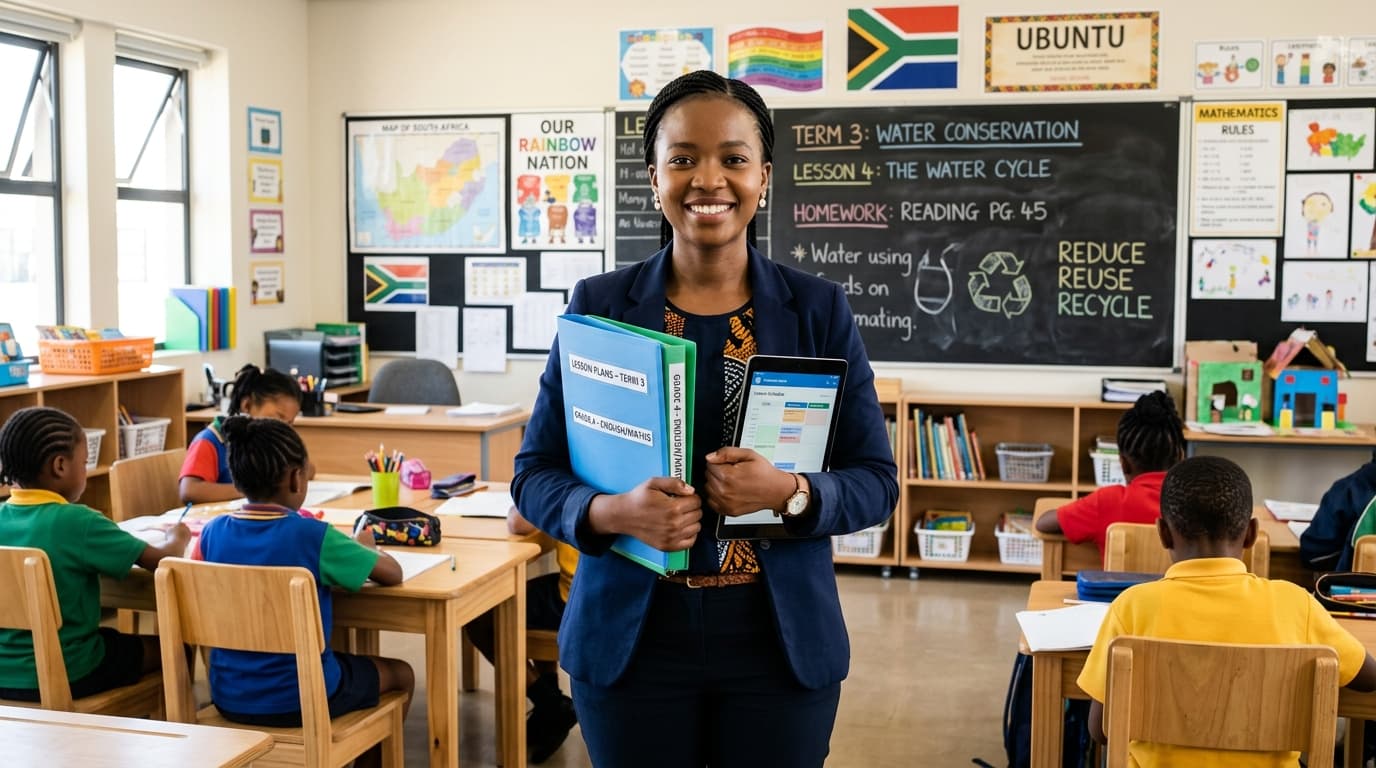
As South African educators, we navigate dynamic and diverse classrooms every single day. We strive to make learning accessible, engaging, and memorable for every child, regardless of their background or preferred learning style. In this quest, visual learning emerges as an incredibly powerful, yet often underutilised, tool. It's more than just pretty pictures; it's a fundamental approach that can bridge comprehension gaps, solidify understanding, and ignite curiosity across all subjects in the CAPS curriculum.
Think about it: from the earliest days, humans have used visuals to communicate, record history, and teach. Cave paintings, hieroglyphs, and maps are testament to our innate ability to process information visually. In our modern classrooms, where learners come with varied levels of English proficiency, different foundational knowledge, and an array of learning preferences, visuals can be the great equaliser. They transform abstract concepts into tangible realities, making complex ideas digestible and inviting.
This post will delve into easy, practical, and effective ways you can integrate visual learning into your daily teaching, whether you have a smartboard and projector or just chalk and a blackboard. We'll explore strategies that cater to all grade levels and subjects, ensuring every South African learner has the opportunity to grasp content deeply and meaningfully.
Why Visual Learning is a Game-Changer for South African Classrooms
In the unique context of our nation's schools, the benefits of visual learning extend far beyond simply making lessons more interesting. It addresses core challenges and enhances educational outcomes in profound ways.
Catering to Diverse Learning Styles
We know that no two learners are alike. While some thrive with auditory explanations, others learn best by doing (kinaesthetic), and a significant portion process information most effectively when they see it. Research consistently shows that a large percentage of individuals are visual learners. By incorporating visuals, we ensure that we are reaching these learners directly, rather than expecting them to adapt solely to auditory or textual instruction. This inclusive approach ensures fewer learners are left behind simply because our teaching methods don't align with their natural learning strengths.
Bridging Language Barriers and Enhancing Comprehension
South Africa's linguistic diversity is a beautiful asset, but it can present instructional challenges. Many of our learners are taught in English as a First Additional Language (FAL), meaning the language of instruction itself can be a barrier to understanding complex concepts. Visuals cut through these linguistic hurdles. A diagram, a photograph, or a short video can convey meaning instantly, often more effectively than a lengthy verbal explanation. This direct access to meaning enhances comprehension, vocabulary acquisition, and reduces frustration for both teachers and learners. Imagine explaining the water cycle in Grade 4 Natural Sciences using only words versus using a clear, labelled diagram. The impact is undeniable.
Boosting Retention and Recall
Our brains are wired to remember images. Think about how easily you recall a face or a landmark compared to a specific sentence you read weeks ago. Visual information is processed more quickly and stored more effectively in long-term memory. When learners see a concept visually represented – whether through a mind map, a chart, or a demonstration – they create a stronger memory trace. This makes it easier for them to retrieve that information during assessments or when applying it to new problems. It's about making learning "sticky."
Making Abstract Concepts Concrete
Many subjects within the CAPS curriculum involve abstract ideas: mathematical equations, historical timelines, scientific processes, or literary themes. Visuals can take these intangible concepts and give them shape, form, and context.
- Mathematics: Understanding fractions becomes clearer when represented by a divided pizza or an array of blocks.
- Natural Sciences: The concept of cellular structure is far more graspable with a detailed diagram or a 3D model.
- History: A timeline adorned with images of key figures and events makes historical progression much more concrete than a list of dates.
By grounding abstract ideas in visual reality, we empower learners to build robust mental models, fostering deeper understanding rather than rote memorisation.
Aligning with CAPS Principles
The CAPS curriculum itself advocates for active learning, critical thinking, and the development of higher-order cognitive skills. Visual learning strategies inherently support these principles:
- Active Learning: Creating a visual (drawing, diagramming, concept mapping) is an active process that requires engagement and synthesis of information.
- Critical Thinking: Analysing a political cartoon in Social Sciences or interpreting a graph in Economic Management Sciences demands critical observation and inferential skills.
- Problem Solving: Using visual aids to break down a complex problem into smaller, manageable steps aids in developing problem-solving strategies.
In essence, visual learning is not just a 'nice-to-have'; it's a 'must-have' for creating inclusive, effective, and engaging learning environments that align with our national educational goals.
Core Principles of Effective Visual Learning
Before we dive into specific strategies, it's vital to understand the foundational principles that make visual learning truly effective. Not all visuals are created equal, and simply adding pictures doesn't guarantee enhanced learning.
Clarity and Simplicity
The most effective visuals are those that are clear, uncluttered, and convey a single main idea or a coherent sequence of ideas. Avoid busy backgrounds, excessive text, or too many elements competing for attention. If a visual needs a lengthy explanation, it might be too complex or poorly designed. The goal is instant comprehension, not confusion.
Relevance to Content
Every visual you use should directly support the learning objective and be explicitly linked to the content being taught. Visuals should not be decorative; they should be functional. Before incorporating an image or diagram, ask yourself: "Does this help my learners understand the concept better? Is it essential for grasping the information?" If the answer isn't a clear "yes," reconsider its inclusion.
Integration, Not Just Decoration
Visuals work best when they are integrated into the lesson, rather than merely displayed alongside it. Encourage learners to interact with the visuals: discuss them, label them, draw their own versions, or use them as a prompt for questions and discussions. They should be starting points for exploration, not just static displays.
Accessibility for All Learners
While visuals are powerful, we must remember our visually impaired learners. Always provide verbal descriptions of key visual information. Consider tactile elements where appropriate. For colour-coded visuals, ensure that colour is not the only distinguishing factor, as some learners may have colour blindness. Thoughtful design ensures that visuals are truly inclusive.
Practical Strategies for Incorporating Visuals
Now, let's explore tangible ways to bring visual learning to life in your classroom, categorised by the tools and approaches you might use.
Leveraging Low-Tech & Everyday Visuals
These strategies require minimal to no technology, making them accessible to every school and teacher in South Africa.
Whiteboards, Blackboards & Flip Charts
These are your primary canvases for spontaneous and collaborative visual learning.
- Mind Maps & Concept Webs: Excellent for brainstorming, summarising, or exploring connections between ideas. Start with a central topic, then branch out with related concepts and keywords.
- Example (Grade 7 Natural Sciences): Central topic "Ecosystems." Branches could be "Components (biotic/abiotic)," "Interactions (food chains/webs)," "Examples (forest/desert)," "Human Impact." Add small, quick sketches next to each branch.
- Quick Sketches & Diagrams: Don't worry about being an artist! Simple stick figures or basic shapes can convey complex ideas.
- Example (Grade 5 History): Illustrate the difference between nomadic and settled lifestyles with two simple stick figures: one carrying a bag and walking, the other tending to a basic shelter.
- Step-by-Step Processes: Break down complex procedures visually.
- Example (Grade 6 Maths): When teaching long division, write out each step (Divide, Multiply, Subtract, Bring Down) and demonstrate it with clear arrows and numbers on the board.
- "Parking Lot" for Questions: Dedicate a section of the board for learners to write or draw questions they have during the lesson, addressing them at a later, dedicated time. This respects their curiosity without disrupting the flow.
Posters & Charts
These provide ongoing visual support and reference points throughout a unit or the entire year.
- Anchor Charts: These are charts co-created with learners during a lesson or unit, summarising key information, steps, or rules. They are "anchors" for future reference.
- Example (Grade 3 Home Language): After teaching about different parts of speech, create an anchor chart with learners listing "Nouns," "Verbs," and "Adjectives," with examples and small drawings for each.
- Word Walls: Crucial for vocabulary development, especially in multilingual classrooms. Display key terms from current or upcoming units. Add a small image or a simple definition next to each word.
- Example (Grade 8 Social Sciences - Geography): A word wall for "Weather and Climate" could include words like "precipitation," "temperature," "humidity," "front," each with a corresponding picture or symbol.
- Process Charts: Illustrate multi-step procedures clearly.
- Example (Grade 9 Technology): A chart detailing the design process: Identify Problem -> Investigate -> Design -> Make -> Evaluate. Each step can have a small icon.
- Timelines: Essential for subjects like History, tracking chronological events.
- Example (Grade 6 History): A timeline showing key events in the life of Nelson Mandela, with small photos at significant dates.
Flashcards & Picture Cards
Versatile tools for review, memorisation, and interactive games.
- Vocabulary Building: Pair a word with its image. Learners can match them, use them for definitions, or play memory games.
- Example (Grade 4 isiXhosa/Afrikaans FAL): Flashcards with common objects (e.g., "chair" and a picture of a chair), animals, or action verbs.
- Fact Recall: On one side, a question or concept; on the other, the answer or visual representation.
- Example (Grade 7 Natural Sciences): Front: "Name the layers of the Earth." Back: A diagram showing the Earth's layers.
- Sequencing: Cards depicting steps in a process or events in a story, which learners arrange in order.
- Example (Grade 1 Home Language): Pictures illustrating the beginning, middle, and end of a simple story.
Manipulatives & Realia
Bringing tangible objects into the classroom makes learning concrete and experiential.
- Hands-on Objects: Anything learners can touch, move, and arrange to understand concepts.
- Example (Grade 2 Maths): Use bottle caps, stones, or small blocks for counting, grouping, and demonstrating addition/subtraction. Base ten blocks for place value.
- Example (Grade 5 Natural Sciences): Use leaves, flowers, or small branches to teach about plant parts.
- Realia (Real Objects): Actual items related to the lesson.
- Example (Grade 6 Social Sciences - Geography): Bring in different types of soil, rocks, or even local food items to discuss natural resources and agriculture in South Africa.
- Example (Grade 7 EMS): Bring in different packaging or product labels to discuss consumer choices and advertising.
Student-Created Visuals
Empowering learners to create their own visuals deepens their understanding and boosts engagement.
Lesson Planner
Generate comprehensive, CAPS-aligned lesson plans in seconds.
- Drawings & Diagrams: Encourage learners to illustrate concepts, scenes from stories, or scientific processes.
- Example (Grade 4 Home Language): After reading a descriptive passage, learners draw what they imagine the setting or character looks like.
- Example (Grade 9 Natural Sciences): Learners draw and label a diagram of the human circulatory system.
- Comic Strips & Storyboards: Excellent for summarising events, understanding cause and effect, or retelling narratives.
- Example (Grade 7 History): Learners create a comic strip depicting a significant historical event, like the arrival of settlers or a key moment in the struggle against apartheid.
- Models: Building 3D representations of concepts.
- Example (Grade 6 Technology): Learners build a model of a simple machine using recycled materials.
Integrating Digital & High-Tech Visuals
For those with access to computers, projectors, or smartboards, digital tools open up a world of dynamic visual learning opportunities. Even a single shared device can be used effectively.
Presentations (PowerPoint/Google Slides)
Move beyond text-heavy slides to create visually impactful lessons.
- Strategic Use of Images & Graphs: Use high-quality, relevant images and graphs to illustrate points, rather than just bullet points of text.
- Example (Grade 10 Geography): Slides showing satellite images of deforestation, graphs illustrating climate change trends, or maps showing population density in various South African provinces.
- Short Video Clips: Embed short (2-5 minute) educational videos to explain complex processes, show real-world applications, or provide context.
- Example (Grade 11 Life Sciences): A short animation explaining DNA replication or the process of photosynthesis.
- Minimising Text, Maximising Impact: Each slide should have minimal text, acting as prompts for your verbal explanation, with the visual carrying the main message.
Educational Videos & Animations
A wealth of free, high-quality content is available online.
- Curated YouTube & Khan Academy: Search for specific topics. Preview videos thoroughly to ensure they are age-appropriate, accurate, and aligned with CAPS.
- Example (Grade 9 Natural Sciences): A video demonstrating a chemical reaction that might be too dangerous or complex to perform in class.
- Example (Grade 12 Maths): Khan Academy tutorials explaining specific calculus concepts.
- Virtual Field Trips: Take learners to places they might never visit, like the Amazon rainforest or a historical site.
- Example (Grade 7 Social Sciences): A virtual tour of Robben Island or the Cradle of Humankind.
Interactive Whiteboards/Smartboards
These tools transform static visuals into dynamic, interactive experiences.
- Dynamic Content: Drag-and-drop activities, interactive labelling, and sorting exercises.
- Example (Grade 5 Natural Sciences): Drag animal names to their correct habitat pictures.
- Example (Grade 8 EMS): Categorise various household expenses into 'needs' and 'wants.'
- Collaborative Annotation: Learners can come up to the board to highlight, draw, or write on visuals, fostering active participation.
- Example (Grade 10 English FAL): Analyse a poem by highlighting poetic devices or interpreting imagery directly on the projected text.
Educational Apps & Websites
Many platforms offer interactive visual learning experiences.
- Quizziz, Kahoot!, Padlet: Use these for engaging quizzes with visual questions, collaborative idea sharing, or creating digital word walls.
- Virtual Labs & Simulations: Explore science experiments or mathematical concepts safely and interactively.
- Example (Grade 11 Physical Sciences): A virtual circuit builder to experiment with electricity without needing actual components.
- Interactive Maps (e.g., Google Earth): Explore geographical features, human settlements, or historical routes with learners.
- Example (Grade 9 Geography): Zoom in on different types of landforms in South Africa or trace migration patterns.
Infographics & Data Visualisations
Making complex data accessible and understandable.
- Accessible Statistics: Infographics combine text, images, and data visualisations to present information clearly and concisely.
- Example (Grade 10 EMS): An infographic explaining the South African budget or key economic indicators.
- Comparing Information: Use charts (bar graphs, pie charts, line graphs) to compare trends, proportions, or changes over time.
- Example (Grade 11 Life Sciences): A graph showing the impact of different environmental factors on plant growth.
Subject-Specific Applications (CAPS Context)
Let's look at how these visual strategies can be specifically applied across various CAPS subjects.
Language Arts (Home Language & FAL)
Visuals are invaluable for comprehension, vocabulary, and creative writing.
- Storyboarding: Learners create a sequence of images to represent the plot of a story, a poem, or even an essay outline.
- Character Webs/Mind Maps: Visually map out a character's traits, relationships, and motivations.
- Picture Dictionaries/Word Walls: Crucial for building vocabulary in both Home Language and especially FAL learners. Pair words with images.
- Visualising Setting: Show images of different settings (e.g., a bustling township market, a serene Karoo landscape) to inspire descriptive writing.
- Graphic Organisers: Use Venn diagrams for comparing and contrasting, or T-charts for pros and cons.
Mathematics
Visuals make abstract numbers and concepts concrete.
- Number Lines & Manipulatives: Essential for teaching basic operations, fractions, decimals, and negative numbers.
- Geometric Shapes & Models: Use 2D drawings and 3D models to explore geometry, area, and volume.
- Diagrams for Word Problems: Encourage learners to draw the problem to understand the relationships and quantities involved.
- Example (Grade 6): A word problem about a rectangular garden – learners draw the rectangle and label the sides.
- Graphs & Charts: Use bar graphs, pie charts, and line graphs to interpret data and solve problems.
- Flowcharts: Illustrate the steps in solving complex equations or algorithms.
Natural Sciences & Technology
Visuals are fundamental for understanding processes, structures, and systems.
- Life Cycles & Food Webs: Clear diagrams illustrate complex biological processes.
- Models & Realia: Use models of organs, cells, or even actual plants/animals (if safe and ethical) to teach biological structures.
- Flowcharts for Processes: Explain the scientific method, the water cycle, or how a machine works.
- Circuit Diagrams & Mechanical Drawings: Essential for Technology education to design and understand systems.
- Virtual Dissections/Simulations: For sensitive topics or when resources are limited, digital simulations can provide visual learning without harming animals.
Social Sciences (History & Geography)
Visuals bring the past to life and make geographical concepts tangible.
- Timelines: As mentioned, annotated timelines with images are critical for historical understanding.
- Maps (Physical, Political, Thematic): From topographical maps to population distribution maps, these are core to Geography.
- Historical Images & Photographs: Analyse primary sources visually – what do these pictures tell us about life in apartheid South Africa, or early human settlements?
- Satellite Imagery (Google Earth): Explore landforms, urbanisation, and environmental changes.
- Visual Representations of Data: Graphs showing population growth, economic activity, or climate patterns.
Creative Arts
Visuals are inherently at the heart of Creative Arts, both for inspiration and demonstration.
- Showcasing Student Work: Displaying artwork, designs, or performance photos provides inspiration and celebrates achievement.
- Demonstrating Techniques: Visual demonstrations (live or via video) are crucial for teaching art techniques, dance moves, or musical instrument handling.
- Inspiration Boards: Collect images, textures, and colours to inspire new creative projects.
- Colour Wheels & Theory Charts: Essential for understanding colour mixing and relationships.
Overcoming Common Challenges
I know what you might be thinking: "This sounds great, but..." Let's address some common hurdles and offer practical solutions.
Limited Resources
This is a reality for many South African schools.
- Solution: Focus on low-tech, readily available resources. Cardboard, old newspapers, bottle tops, natural materials (leaves, stones) can be repurposed into powerful visual aids. Enlist learners to help collect and create. Don't underestimate the power of a well-drawn diagram on a blackboard.
Time Constraints
Planning and creating visuals can seem time-consuming.
- Solution: Start small. Pick one or two strategies per week to implement. Involve learners in the creation process – it's a learning experience in itself! Reuse visuals from year to year. Collaborative planning with colleagues can also save time.
Overwhelm
The sheer volume of strategies might feel daunting.
- Solution: Keep it simple and focused. You don't need to do everything at once. Choose visuals that directly address a learning gap or a particularly challenging concept. Prioritise clarity over complexity.
Ensuring Accessibility for Visually Impaired Learners
While visuals are powerful, we must not forget those who cannot see them.
- Solution: Always provide clear, detailed verbal descriptions of any visual information presented. Encourage tactile exploration where possible (e.g., raised line diagrams, 3D models). Work with support staff to provide alternative formats if needed.
Tips for Maximising Impact
To truly harness the power of visual learning, keep these principles in mind:
- Keep it Relevant: Every visual must serve a clear purpose and directly connect to your learning objectives. Avoid using visuals just for the sake of it.
- Don't Overdo It: A cluttered visual is as bad as no visual at all. Too many images, colours, or pieces of text can overwhelm learners and hinder comprehension. Less is often more.
- Encourage Interaction: Don't just show visuals; talk about them. Ask questions like: "What do you see here?", "What do you think this represents?", "How does this relate to what we just discussed?". Have learners label, draw, or explain the visuals.
- Student Ownership: Empower learners to create their own visuals. This active engagement strengthens understanding, fosters creativity, and gives them a sense of ownership over their learning.
- Review and Adapt: After using a visual strategy, reflect on its effectiveness. Did it help learners understand? Was it engaging? What could be improved next time? Continuous adaptation is key to refining your approach.
Concluding Thoughts
Incorporating visual learning into your South African classroom isn't just a trend; it's a deeply effective pedagogical approach that empowers all learners, particularly within our diverse linguistic and cultural landscape. From the simple elegance of a blackboard drawing to the dynamic engagement of a digital simulation, visuals transform abstract ideas into tangible understanding, making learning more accessible, memorable, and enjoyable.
As experienced educators, we know that the most impactful teaching comes from our ability to connect with every child. Visuals provide another powerful avenue to forge these connections, building bridges of understanding across varied learning styles and backgrounds. Start small, experiment, and observe the transformative impact it has on your learners' engagement and comprehension. You'll likely find that these "easy ways" become indispensable tools in your teaching toolkit, helping you unlock the full potential of every learner in your classroom.
Andile. M
Dedicated to empowering South African teachers through modern AI strategies, research-backed pedagogy, and policy insights.