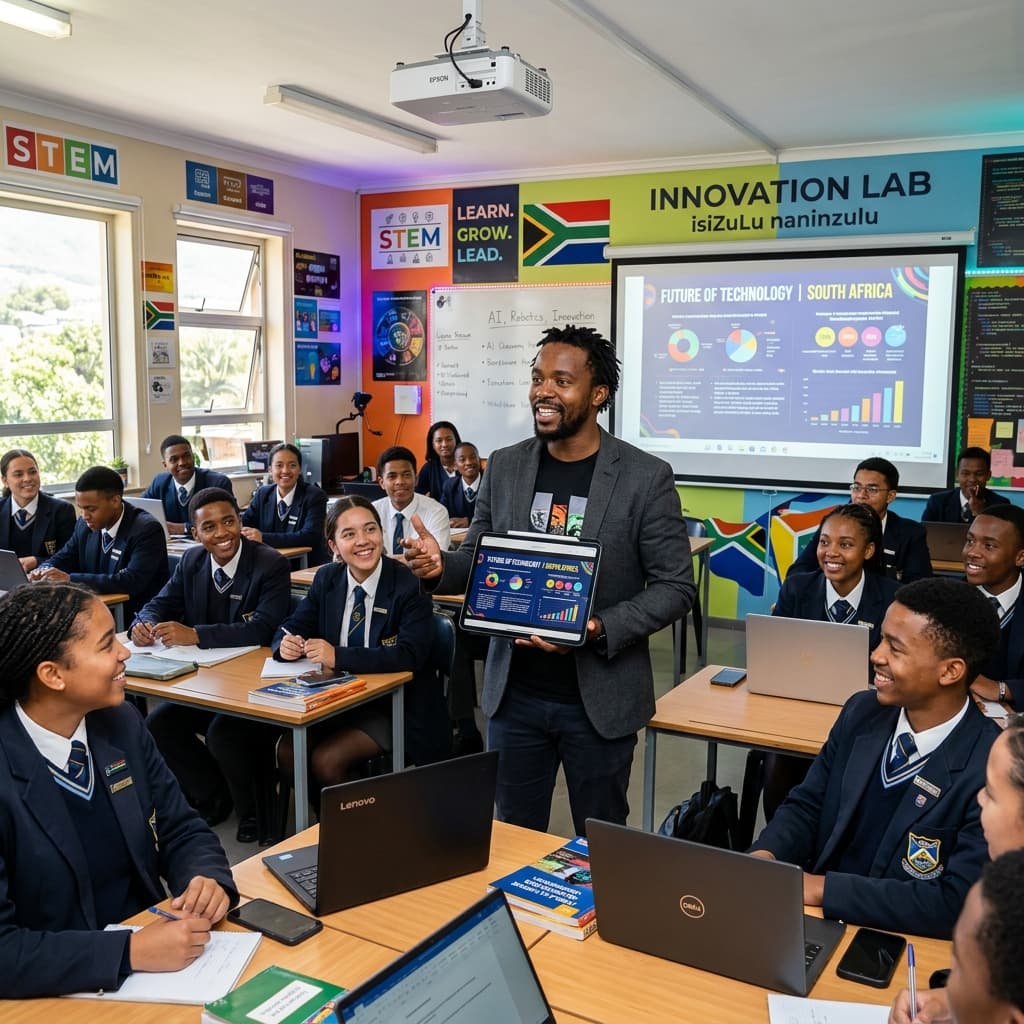
How Educational Technology is Empowering the Modern Teacher in South Africa
I want to begin with an honest confession: I used to be deeply sceptical of educational technology. Not because I was a technophobe — I had been using a desktop computer since secondary school and could navigate an Excel spreadsheet faster than most of my colleagues. But I had seen too many "revolutionary" educational tools arrive at schools with great fanfare, consume significant budget and training time, and disappear within two years when funding dried up or interest faded.
My scepticism started to shift about three years ago, when a colleague showed me how she was using an AI-powered lesson planning tool to reduce her Sunday planning time from five hours to ninety minutes. She was not sacrificing quality — her lessons were better structured and more cognitively varied than before. She was simply doing the same professional work in a fraction of the time. That observation changed how I thought about educational technology.
Being a teacher in South Africa in the 2020s means navigating a rapidly expanding landscape of digital tools — some genuinely transformative, some distracting, some actively harmful to effective teaching. This article is an honest, comprehensive look at the current state of educational technology in South African schools, what works, what does not, and how to build a sustainable, effective edtech practice as a South African educator.
The South African EdTech Landscape: Context First
Before we explore specific tools, we need to acknowledge the context within which a teacher in South Africa encounters technology. The South African edtech landscape is defined by extraordinary inequality.
On one end of the spectrum are South African independent schools and well-resourced Model C schools with reliable fibre internet connections, fully equipped tablet or laptop labs, interactive whiteboards in every classroom, dedicated ICT support staff, and annual software licences for enterprise-level educational platforms. Learners in these schools use digital tools as a natural extension of their learning.
On the other end are schools — the majority of South African schools — where internet connectivity is absent or intermittent, where the single computer lab has machines that run Windows XP, where teachers' personal smartphones are the most capable digital devices in the building, and where load shedding can render any planned digital lesson impossible within minutes.
This inequality shapes every conversation about educational technology for teachers in South Africa. The most useful edtech tools are those that work effectively across the full spectrum of contexts: tools that function offline, that work on low-bandwidth connections, that do not require expensive hardware, and that integrate with workflows teachers already use. Keeping this context front of mind is essential when evaluating any tool or platform.
The AI Moment: How Artificial Intelligence is Changing Teaching in South Africa
The most significant edtech development of the past three years has been the emergence of AI-powered tools that assist with the core professional tasks of teaching. These are not the AI tools of science fiction — they do not replace human teachers or make professional judgement obsolete. They are, at their best, highly capable professional assistants that accelerate the time-consuming cognitive labour of lesson planning, assessment design, and resource creation.
For a teacher in South Africa managing five classes of forty-plus learners, this acceleration is not a luxury — it is a genuine quality-of-life intervention.
AI for Lesson Planning. Tools designed specifically for the South African CAPS curriculum can generate structured lesson plans that are already aligned with specific CAPS content requirements, include appropriate cognitive level distribution, suggest relevant South African examples and contexts, and provide differentiation suggestions for mixed-ability classes. What I used to spend four hours producing on a Sunday afternoon — a set of five fully planned lessons for the week — can now take me thirty minutes, with more time spent on personalisation and less on structural scaffolding.
The important caveat: AI-generated lesson plans are starting points, not finished products. They require teacher review and adaptation. The AI does not know that Themba in 9B struggles with algebraic fractions, or that your class was on a sports trip on the day you were supposed to introduce the water cycle, or that your school's religion policy means you need to handle certain Life Sciences topics with particular sensitivity. Professional judgement is irreplaceable. AI accelerates the work that comes before professional judgement — the scaffolding and structure.
AI for Assessment Design. CAPS-aligned assessment design — with correct cognitive level distribution, clear mark allocation, and appropriate language level — is time-consuming and requires significant expertise. AI tools that understand CAPS assessment requirements can generate first-draft question papers that already meet the basic structural requirements, allowing teachers to focus on refining questions, ensuring curriculum alignment, and adapting examples to their specific learner context.
I have used these tools to reduce my test-design time significantly. What I gain in time I reinvest in quality: I review every AI-generated question more carefully than I used to review my own questions because I am not racing against a clock.
AI for Differentiated Resources. Creating differentiated worksheets — a standard version and an extension version for the same lesson — used to be a task I rarely had time for. AI tools now allow me to generate both versions quickly, starting from the same learning objective. This has meaningfully improved my ability to stretch learners who are ready for challenge and support learners who need scaffolding.
Google Workspace for Education: A Game-Changer for South African Schools
Of all the educational technology platforms that have genuinely transformed teaching practice in South Africa, Google Workspace for Education is perhaps the most significant — particularly for schools that cannot afford enterprise software licences.
Google Workspace for Education (formerly G Suite for Education) is available free to qualifying public schools, providing access to Gmail, Google Classroom, Google Drive, Google Docs, Google Slides, Google Forms, and Google Meet. For a teacher in South Africa in a school with reasonable internet access, this suite eliminates many of the most common administrative frustrations:
Google Classroom provides a centralised, organised space for setting assignments, distributing resources, collecting and returning work, and communicating with learners. Rather than managing stacks of physical worksheets, a teacher can distribute a worksheet digitally, have learners complete and submit it online, provide digital feedback, and return it — all within one platform. For hybrid learning or remote learning contexts (increasingly relevant after the COVID-19 pandemic showed how quickly school closures could be imposed), Google Classroom is the difference between chaos and continuity.
Google Forms is arguably the most underused edtech tool available to South African teachers. Forms allows teachers to create quizzes, surveys, and assessment instruments that are automatically marked (for multiple choice and short answer questions), summarise results in real-time, and generate individual response data that can feed directly into Google Sheets mark records. Imagine giving a fifteen-question comprehension quiz to 45 learners and having the results, with individual item analysis, available before the next period. That is the reality with Google Forms.
Google Slides and Google Drive facilitate collaborative lesson design among teachers — sharing, co-editing, and building shared resource libraries that benefit the whole department. Instead of emailing PowerPoint files to each other and losing track of versions, a school subject department can maintain a shared Google Drive folder of CAPS-aligned resources, organised by grade and topic, that every teacher in the department can access, adapt, and contribute to.
The connectivity challenge. Google Workspace is significantly less useful in schools without reliable internet access. For these schools, the priority is not platform selection but connectivity infrastructure. The DBE's SA Connect programme and various private sector initiatives (including MTN's and Vodacom's educational connectivity programmes) are gradually improving connectivity in under-resourced schools, but the gap remains large. In the interim, teachers in low-connectivity schools maximise offline capabilities — Google Docs and Slides support offline editing that syncs when connectivity is restored.
Learning Management Systems for South African Schools
Beyond Google Classroom, several learning management systems (LMS) are increasingly used in South African schools, particularly in the independent and fee-paying public school sectors.
Microsoft Teams for Education competes directly with Google Classroom and is the preferred platform in many schools that use Microsoft licensing. Teams integrates with the broader Microsoft 365 ecosystem and has robust assignment management, video conferencing, and collaborative document features. For schools already using Microsoft 365, Teams for Education is a natural extension.
Moodle is an open-source LMS widely used in tertiary education but increasingly adopted by larger secondary schools with ICT infrastructure capacity. Its strength is flexibility — it can host complex course structures, assessments with sophisticated question banks, and detailed learner analytics. Its weakness for most South African school environments is the technical complexity of setup and maintenance.
WhatsApp as an LMS. I include this not as a recommendation but as an acknowledgement of reality: for many teachers in South Africa, WhatsApp is the de facto learning management system. Class WhatsApp groups are used to distribute worksheets (as images or PDFs), collect homework submissions, send reminders about assessments, and facilitate quick Q&A exchanges. This is resourceful and practical — but it also blurs professional boundaries, raises data protection questions, and creates accessibility inequalities (learners without smartphones or data are excluded).
If WhatsApp is your current reality, use it thoughtfully. Establish clear norms — only school-related content in the class group, no messages after 8 PM, no personal information shared. And work toward more professional platforms as connectivity infrastructure improves.
Digital Assessment and Feedback Tools
Formative assessment — the ongoing checking of learner understanding during instruction — is enormously more efficient with the right digital tools.
Kahoot! and Quizizz are gamified quiz platforms that generate immediate engagement and provide real-time correct/incorrect data per question and per learner. They work best with reliable internet and devices for every learner, which limits their classroom applicability in many South African schools. However, even where full 1:1 device access is not possible, these tools can be used in group configurations — one device per table group — to maintain the collaborative engagement element.
Mentimeter and Poll Everywhere are polling and response tools that work through learner smartphones — reducing the device requirement since most older secondary school learners (though not all) have access to a smartphone with data. These platforms are particularly effective for opening discussions, checking prior knowledge, and facilitating class votes or predictions that create investment in subsequent lessons.
PDF annotation tools. For marking digital submissions, PDF annotation apps (including Adobe Acrobat, Xodo, and GoodNotes on iPads) allow teachers to mark assignments directly on-screen using digital highlighting, stamps, and handwritten feedback. While not universally accessible, these tools significantly accelerate digital marking for teachers who receive assignments digitally.
Video and Multimedia in South African Classrooms
The pedagogical value of well-chosen video content is well-established — video is engaging, multi-modal, and accessible to learners at different language proficiency levels. For a teacher in South Africa managing a class where English is a second or third language for most learners, a carefully chosen visual explanation can bridge comprehension gaps that text-based instruction creates.
YouTube remains the dominant source of educational video content, with substantial material in South African curriculum-relevant subjects. The challenge is internet access. Practical solutions for low-bandwidth environments include:
- Download videos in advance at home or at a location with good connectivity, using free tools like Video DownloadHelper or y2mate.
- Build an offline video library on a school server or shared hard drive.
- Use YouTube Premium's offline download feature for personally held accounts.
- Identify locally hosted alternatives — some provincial education departments maintain offline digital resource libraries.
Creating your own content. The affordability of decent-quality smartphone cameras means that a teacher in South Africa can create their own explanatory videos with no budget and basic editing skills. A five-minute video of yourself solving a complex mathematics problem — pausing to explain each step, using the same language you use in class, referencing the specific section of the CAPS curriculum — is more valuable to your learners than any generic YouTube resource because it is exactly calibrated to their context and your teaching style.
Short teacher-created videos work particularly well for flipped classroom models — where learners watch the instructional content at home (or during study periods) and class time is used for practice, discussion, and application rather than content delivery. This model is especially powerful in the South African context because it maximises the high-value time when both teacher and learner are together.
Building an Ethical and Responsible EdTech Practice
As educational technology becomes more powerful — particularly AI tools — the ethical dimensions of their use become more important. A teacher in South Africa using AI tools has professional responsibilities that go beyond simply producing efficient outputs.
Academic integrity. If teachers use AI to generate assessments and learners use AI to generate responses to those assessments, the result is an elegant mutual defeat. AI-assisted assessment design only works when teachers critically evaluate AI outputs, personalise them to their learner context, and design assessments that require thinking that AI cannot do on a learner's behalf — structured verbal explanations, lab practicals, fieldwork reports, oral presentations, and higher-order analysis of South African-specific source material.
Learner data protection. POPIA (the Protection of Personal Information Act) applies to schools and teachers. When using digital platforms that collect learner data — quiz responses, assignment submissions, video watch histories — teachers must understand what data the platform collects, where it stores that data, and what its privacy policy says about data use. Using a platform that sends South African learner data to be processed by a company in a country without adequate data protection laws is a POPIA compliance concern.
Equity of access. Introducing edtech tools that require data, devices, or stable electricity creates new forms of inequality in classrooms where not all learners have equal access to these resources. Ethical edtech practice means thinking carefully about how every tool affects equity — and never designing an assessment or learning activity that disadvantages learners because of their technology access.
The Human Element: Technology Supports, Never Replaces
After three years of genuinely embracing educational technology, I remain deeply convinced that the most important thing in a South African classroom is not the technology. It is the teacher.
Technology cannot notice that a learner has come to school for three days without eating. Technology cannot de-escalate a conflict between two learners whose families are in the same community dispute. Technology cannot adapt mid-lesson because the planned activity is falling flat and a different approach is needed in real-time. Technology cannot build the trust that allows a struggling learner to finally raise their hand and ask for help.
What educational technology can do — when it is the right tool, used thoughtfully, in the right context — is reduce the cognitive and administrative burden on teachers. And a teacher with less administrative burden and more protected time and energy is a more present, more creative, more emotionally available educator. That is what makes edtech transformative.
The goal is not a digitised classroom. The goal is a teacher who is freed enough by efficient tools to be more fully human in front of their learners.
Sipho Khumalo is a veteran educator and edtech advocate who has been integrating digital tools into South African classroom practice for seven years. He trains teachers in CAPS-aligned digital pedagogy during school holiday workshops.
Sipho Khumalo
Dedicated to empowering South African teachers through modern AI strategies, research-backed pedagogy, and policy insights.