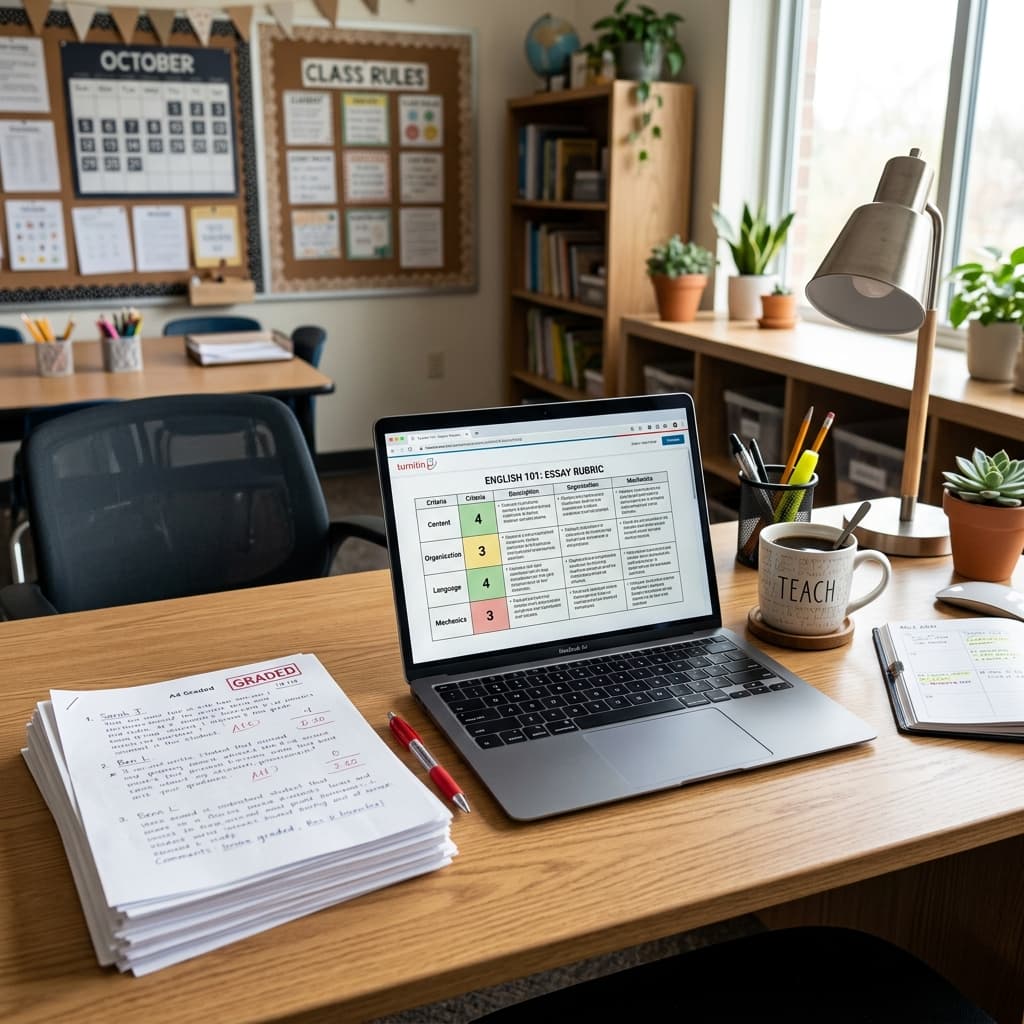
The Unseen Burden: Reclaiming Your Time in the South African Classroom
We all entered this profession driven by a profound passion for shaping young minds, isn't that right? The joy of seeing a learner grasp a complex concept, the pride in their achievements, the privilege of guiding them through their formative years – these are the moments that truly define teaching. Yet, as South African educators navigating the demands of the CAPS curriculum and beyond, we often find ourselves wrestling with an equally formidable, albeit less rewarding, adversary: administrative workload.
From meticulous lesson planning to assessment moderation, report writing to fulfilling myriad departmental requests, the administrative burden can feel overwhelming. It steals precious hours from our evenings and weekends, encroaches on our personal lives, and, most importantly, detracts from the energy we could be dedicating to our learners. This isn't about working less; it's about working smarter, streamlining processes, and reclaiming your time and sanity so you can focus on what truly matters: teaching and inspiring.
This comprehensive guide is designed by a fellow educator, for educators, to provide practical, actionable strategies that can significantly reduce your administrative load. We'll explore methods that are feasible within the South African school context, keeping our unique challenges and opportunities in mind.
Streamlining Planning & Preparation for CAPS Success
The foundation of effective teaching lies in thorough planning, but this doesn't mean it has to be a time sink. Smart planning can save you countless hours in the long run.
Leveraging CAPS Documents Effectively
The CAPS curriculum documents are more than just a regulatory checklist; they are your roadmap. Learning to interpret and utilise them efficiently is key.
- Deconstruct the Annual Teaching Plans (ATPs): Instead of just reading them, convert your ATP into a personalised, actionable checklist or a simplified term overview. Highlight key concepts, skills, and assessment requirements for each week or topic. This clarifies your focus and prevents redundant planning.
- Focus on Core Concepts and Skills: CAPS emphasises conceptual understanding and skill development. When planning, ask yourself: What are the absolute non-negotiable concepts learners must grasp? Which skills are we developing this week? Prioritising these helps you avoid getting bogged down in minutiae and ensures your teaching is targeted.
- Create Reusable Templates: Develop a generic lesson plan template in Word, Google Docs, or even a physical planner that you can reuse and adapt. Include sections for CAPS content, learning objectives, resources, activities, assessment, and differentiation. This drastically cuts down on the time spent formatting and structuring each new lesson.
Collaborative Planning: Sharing the Load
You are not an island. Collaboration with your colleagues is one of the most powerful tools for reducing individual workload.
- Departmental/Grade-Level Planning Sessions: If your school has these, make them count. Divide up the planning tasks for a term or a unit. One teacher might create the baseline lesson notes, another might source relevant activities, and a third develops the assessment rubric.
- Shared Resource Banks: Establish a central, organised digital repository (e.g., Google Drive, OneDrive, or even a well-structured USB drive) for all departmental resources – lesson plans, worksheets, past papers, exemplars, and useful links. When you create something excellent, share it! This prevents everyone from reinventing the wheel.
- Co-teaching and Team Teaching: Explore opportunities for co-teaching a topic or even sharing a grade. This can lead to shared lesson preparation and double-teaming on certain administrative tasks.
Efficient Lesson Material Creation
Stop creating everything from scratch. Leverage, adapt, and curate.
- Curate, Don't Always Create: The internet is a treasure trove of resources. Utilise reputable educational websites (e.g., Department of Basic Education resources, OER Commons, Siyavula, Khan Academy, local teacher blogs/forums) to find ready-made worksheets, activities, and multimedia. Always preview and adapt to ensure CAPS alignment and suitability for your learners.
- Adapt Past Materials: Don't discard old lesson materials. Tweak them to fit current CAPS requirements or learner needs. A worksheet from two years ago might just need a new header or a slight adjustment to a question.
- Utilise Digital Tools for Creation: Instead of handwriting notes for projection, type them up. Use presentation software (PowerPoint, Google Slides) to create visually engaging lessons that can be saved and reused. Tools like Canva can help you quickly design appealing worksheets or visual aids.
Batching Tasks: Grouping Similar Activities
Batching involves grouping similar tasks together and completing them in one dedicated block of time. This minimises context switching and improves efficiency.
- Dedicated "Resource Gathering" Time: Instead of searching for a resource every time you plan a lesson, dedicate an hour once a week to finding and downloading all necessary materials for the upcoming week or two.
- Scheduled Communication Blocks: Instead of replying to emails or parent messages sporadically throughout the day, designate specific times (e.g., 15 minutes before school, 30 minutes after school) for communication.
- Photocopying/Printing Sessions: If possible, do all your photocopying and printing for the week in one go. This saves you multiple trips to the copier and waiting in line.
Mastering Assessment & Feedback Without Drowning in Paperwork
Assessment is integral to the teaching and learning process, but marking and record-keeping can be incredibly time-consuming. Let's look at smarter ways to manage it.
Smart Assessment Design
Think strategically about how you design your assessments to minimise marking time while still providing valuable insights.
- Integrate Assessment into Learning: Design activities that double as formative assessments. Observe students during group work, listen to their discussions, and ask targeted questions. This provides real-time feedback without formal marking.
- Utilise Rubrics Extensively: For projects, essays, or complex tasks, share clear, detailed rubrics with learners before they start. Not only does this clarify expectations for them, but it also makes marking significantly faster. You simply circle the relevant descriptors rather than writing extensive comments.
- Multiple-Choice and Short-Answer Questions: While not suitable for all assessments, these formats can be quickly marked, especially for checking factual recall or basic comprehension. Digital platforms can even auto-mark these.
- Peer and Self-Assessment: Empower learners to take responsibility for their own learning. Teach them how to use rubrics to assess their peers' work or their own. This develops critical thinking skills and can significantly reduce your marking load for drafts or formative tasks. Always review their assessments to ensure accuracy and provide final feedback.
Efficient Feedback Strategies
Feedback is crucial, but it doesn't always have to involve extensive written comments.
- Targeted Feedback: Instead of correcting every single error, identify 2-3 key areas for improvement in a piece of work. For example, focus on sentence structure and paragraphing, or only on the core argument. Learners are more likely to act on focused feedback.
- Symbols and Codes: Develop a simple system of symbols or codes for common errors (e.g., "SP" for spelling, "GR" for grammar, "WC" for word choice). Learners can then refer to a key to understand the feedback.
- Audio/Video Feedback: For longer assignments, consider recording brief audio or video feedback. Many learners find this more personal and easier to understand, and it can often be quicker than writing lengthy comments. Tools like Vocaroo or Loom can be useful.
- Whole-Class Feedback: After marking a batch of assignments, identify common strengths and weaknesses. Dedicate a short segment of a lesson to providing whole-class feedback, addressing these patterns without singling out individuals. This saves time on repetitive individual comments.
- Focus on the "Next Steps": Frame your feedback around what the learner needs to do next to improve, rather than just pointing out past errors.
Record Keeping Made Easy
Effective record-keeping is essential for tracking progress and reporting, but it doesn't need to be arduous.
- Digital Mark Books: Move away from paper-based mark books. Use a spreadsheet program like Microsoft Excel or Google Sheets to create a digital mark book. These allow for automatic calculations, sorting, and easy updating. Many schools also provide their own online portals for mark capturing.
- Centralised Filing System: Whether digital or physical, ensure your assessment records are meticulously organised. For physical copies, use clearly labelled files or folders per learner or per assessment. For digital records, create clear folders for each grade, subject, and assessment task.
- Photographing Evidence: For practical tasks, oral presentations, or group work, a quick photograph (with parental/school permission) can serve as evidence of participation or completion, reducing the need for extensive written notes.
Optimising Classroom Management for Time-Saving
A well-managed classroom reduces disruptions, maximises instructional time, and decreases the need for reactive discipline, all of which save you time and energy.
Clear Routines & Expectations
When learners know what to expect, they are more independent and less likely to seek constant direction.
- Establish and Teach Routines: Have clear, consistent routines for entering the classroom, distributing materials, starting tasks, transitioning between activities, packing up, and exiting. Practice these routines until they become second nature.
- Visual Schedules and Agendas: Display a daily schedule or agenda on the board. This helps learners understand the flow of the lesson and manage their own time, reducing questions about "What are we doing next?"
- Defined Roles and Responsibilities: Assign classroom jobs or roles to learners (e.g., "material monitor," "board cleaner," "attendance helper"). This fosters responsibility and offloads small administrative tasks from you.
Student Empowerment & Peer Support
Engaging learners in classroom operations and peer learning can be a significant time-saver.
- Empower Learners to Solve Minor Issues: Teach learners problem-solving skills for common classroom issues before they come to you. For example, "What should you do if you forget your pen?" or "Where do you find spare paper?"
- Peer Tutoring and Mentoring: Encourage stronger learners to assist those who are struggling. This benefits both the tutor (deeper understanding) and the tutee, and it reduces the demand on your individual attention.
- Self-Correction and Revision: Provide learners with answer keys for certain activities (after they've attempted them) or encourage them to re-read their own work before submitting it. This catches minor errors before they reach your marking pile.
Digital Tools for Classroom Admin
Technology can streamline daily classroom management tasks.
- Digital Attendance Registers: Many schools use digital systems for attendance. If not, a simple Google Sheet can be shared and updated daily, offering quick summaries.
- Behaviour Tracking Apps: Apps like ClassDojo or SeeSaw (for younger grades) allow you to quickly record positive behaviours or areas for improvement, and in some cases, share this with parents seamlessly, reducing the need for separate communication logs.
- Online Quizzes and Polls: Use tools like Google Forms, Kahoot, or Socrative for quick formative assessments. These can be auto-marked, providing instant feedback to learners and saving you marking time.
Embracing Technology Wisely as a South African Teacher
Lesson Planner
Generate comprehensive, CAPS-aligned lesson plans in seconds.
Technology is not a silver bullet, but when used strategically, it can be a powerful ally in reducing administrative load.
Digital Planners & Gradebooks
Move beyond paper for your planning and record-keeping.
- Digital Calendars (Google Calendar, Outlook Calendar): Use these to schedule lessons, meetings, deadlines, and personal appointments. Set reminders for important tasks.
- Spreadsheet Gradebooks (Excel, Google Sheets): As mentioned, these are invaluable for mark capturing, calculating averages, and tracking progress. You can customise them exactly to your needs.
- Dedicated Teacher Planner Apps: Explore apps like Planboard, TeacherKit, or iDoceo (for iPad users). These often combine a planner, gradebook, attendance tracker, and resource manager into one integrated system.
Communication Platforms
Streamline communication with parents, learners, and colleagues.
- School Communication Platforms: Utilise your school's official communication channels (e.g., Parent Portal, D6 Communicator, ClassDojo) to disseminate information.
- Email for Official Communication: Maintain professional boundaries. Use email for important announcements, individual feedback, or sensitive discussions. Set up folders in your inbox to organise emails by grade, subject, or parent.
- WhatsApp Groups (with Strict Boundaries): A WhatsApp group for quick announcements (e.g., "Reminder: bring your textbook tomorrow") can be efficient, but establish clear rules: no individual queries, no late-night messages, and only school-related content. Ideally, make it a broadcast-only group to prevent endless conversations.
Resource Repositories
Keep all your teaching materials organised and accessible.
- Cloud Storage (Google Drive, OneDrive, Dropbox): Store all your digital resources (lesson plans, worksheets, presentations, exemplar answers) in the cloud. Organise them into clear folders by subject, grade, and term. This ensures you can access them from anywhere and prevents loss if your device crashes.
- Curated Online Libraries: Maintain a bookmark folder or a simple spreadsheet of useful websites, videos, and online activities that align with the CAPS curriculum.
AI as an Assistant (with a Critical Eye)
Artificial Intelligence tools like ChatGPT or Google Bard can be surprisingly helpful for specific administrative tasks, but always remember the human element and the South African context.
- Brainstorming Ideas: Stuck for activity ideas for a particular CAPS topic? Ask an AI chatbot for "5 engaging activities for Grade 7 learners to understand ecosystem dynamics."
- Drafting Communication: Need to write a parent newsletter or an email to a colleague? Ask AI to draft a polite, professional message, then refine it with your own tone and specific details.
- Generating Questions: Ask AI to generate a list of multiple-choice questions or short-answer questions based on a specific text or learning objective. Always review and adapt these questions to ensure they are age-appropriate, aligned with CAPS cognitive levels, and culturally relevant.
- Creating Rubric Templates: Provide AI with the learning outcomes for a project, and ask it to draft a rubric. You'll then need to adjust it to your specific grading criteria and context.
- Summarising Information: If you have a lengthy document you need to summarise for learners, AI can provide a quick draft summary for you to refine.
Crucially, AI is an assistant, not a replacement. Always fact-check, adapt for cultural and CAPS relevance, and apply your professional judgment. Never use AI-generated content verbatim without review.
Effective Communication & Collaboration Beyond Your Classroom
Your interaction with parents, colleagues, and school management also presents opportunities for efficiency.
Parent Communication
Structured, proactive communication can save you time dealing with reactive queries.
- Regular Updates: Send out a weekly or bi-weekly email or post on your school's platform, summarising what was covered, upcoming assessments, and any important notices. This pre-empts many individual questions.
- Scheduled Parent-Teacher Conferences: Ensure these are well-organised, with clear time slots and an agenda. Be prepared with learner progress reports and specific examples.
- "Preferred Contact Method" Policy: Clearly communicate your preferred method and times for parent contact. This sets boundaries and manages expectations.
Colleague Collaboration
Beyond planning, ongoing collaboration strengthens your professional community and can share the load.
- Informal Check-ins: A quick chat with a grade-level colleague can often resolve a minor issue faster than trying to figure it out alone.
- Share Best Practices: If you discover a time-saving app or a particularly effective teaching strategy, share it with your department. A rising tide lifts all boats.
- Peer Mentoring: Offer to mentor newer teachers, and don't be afraid to seek advice from more experienced colleagues. This exchange of knowledge is invaluable.
School Management & Reporting
Understand the rationale behind administrative requests and be proactive.
- Clarify Expectations: If you receive a request for a report or data, don't hesitate to ask for clarity on the purpose, required format, and deadline. This prevents rework.
- Submit on Time: Procrastination only adds stress and potential follow-up requests. Aim to submit administrative tasks well before the deadline.
- Advocate for Efficiency: If you identify school-wide processes that are unnecessarily burdensome, politely and constructively suggest alternative, more efficient methods to your school management team.
Personal Time Management & Well-being: Your Most Important Resource
Ultimately, reducing administrative workload is about protecting your time and energy, which are finite resources. Prioritising your own well-being is not selfish; it's essential for sustained effectiveness in the classroom.
Prioritisation Techniques
Not all tasks are created equal. Learn to identify and focus on what truly matters.
- The Eisenhower Matrix: Categorise tasks into four quadrants:
- Urgent & Important: Do these first (e.g., marking a major assessment due tomorrow).
- Important, Not Urgent: Schedule these (e.g., planning for next month's unit).
- Urgent, Not Important: Delegate if possible, or do quickly (e.g., a quick email reply).
- Not Urgent, Not Important: Eliminate these (e.g., excessive social media scrolling during work time).
- "Eat the Frog" (Mark Twain): Tackle your most daunting or unpleasant task first thing in the morning. Once it's done, the rest of your day feels lighter and more manageable.
- The Power of a "To-Do" List: Keep a running list of tasks. Break large tasks into smaller, manageable steps. Crossing items off provides a sense of accomplishment and helps you track progress.
Setting Boundaries
This is perhaps the hardest but most crucial step for many teachers.
- Designated "Work-Free" Times: Protect your evenings and weekends. Decide on a specific time when you will stop working each day, and stick to it. Turn off work notifications on your phone.
- Limit Email/Message Checking: Don't feel obligated to respond to school-related communications 24/7. It's okay to respond during work hours.
- Learn to Say "No": As committed educators, we often volunteer for everything. Assess new requests against your current workload and priorities. It's okay to politely decline if it means sacrificing your well-being or essential teaching tasks.
Delegation (Where Appropriate)
While teachers don't often have "staff" to delegate to, there are opportunities within the classroom.
- Empower Student Leaders: As mentioned before, student monitors, table captains, or class prefects can assist with distributing and collecting materials, tidying up, or leading small group discussions.
- Parent Volunteers (if applicable): If your school policy allows, parent volunteers can assist with non-instructional tasks like preparing materials, organising resources, or chaperoning field trips.
Reflecting & Adjusting
Time management is not a one-time fix; it's an ongoing process of refinement.
- Regular Review: At the end of each week or term, take a few minutes to reflect: What worked well in terms of time management? What were the biggest time sinks? Which strategies could I implement or refine next?
- Be Flexible: Life happens. Some weeks will be more demanding than others. Be kind to yourself and adjust your strategies as needed.
Conclusion: Reclaim Your Joy in Teaching
The administrative burden is a reality for South African teachers, but it doesn't have to define your professional life. By systematically implementing these strategies – from smart planning and assessment design to leveraging technology and setting personal boundaries – you can significantly reduce your workload, reclaim precious time, and, most importantly, reignite your passion for teaching.
Remember, you are a professional, and your time is valuable. By working smarter, not just harder, you create more space for meaningful interactions with your learners, for innovative teaching, and for your own well-being. Start small, pick one or two strategies to implement this week, and gradually build towards a more balanced and fulfilling teaching career. You and your learners deserve it.
Andile. M
Dedicated to empowering South African teachers through modern AI strategies, research-backed pedagogy, and policy insights.