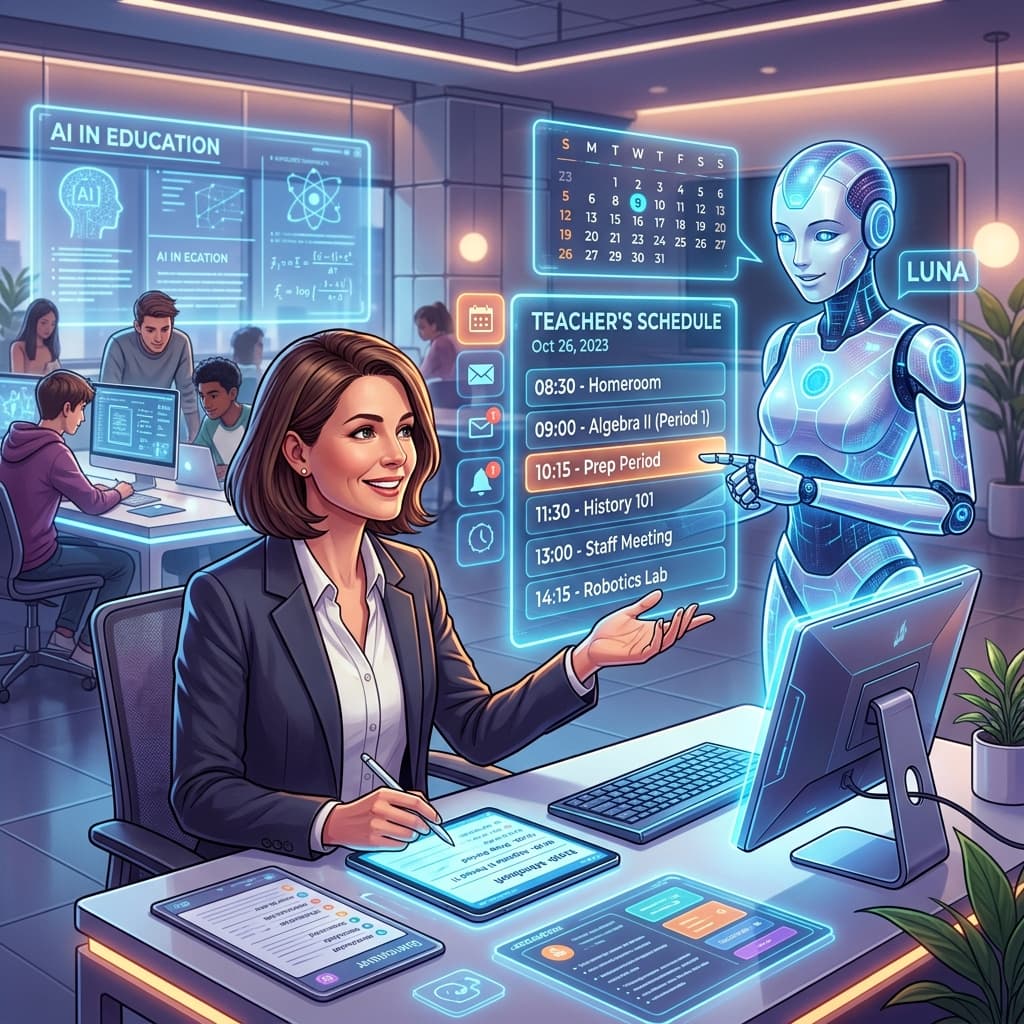
The shift to online learning has brought unprecedented changes to education, and for us, as dedicated South African teachers navigating the CAPS curriculum, it has presented a unique set of challenges. While technology offers incredible opportunities for learning, managing learner behaviour in a virtual environment can often feel like an entirely different ballgame. The familiar cues, the physical presence, and the established classroom routines are replaced by screens, mute buttons, and the unpredictable dynamics of learners' home environments.
This post aims to provide a comprehensive, supportive, and practical guide to effective online classroom behaviour management. We understand the immense pressure you're under, and our goal is to equip you with strategies that are not only effective but also align with the holistic development principles embedded in the CAPS curriculum, fostering responsible digital citizens.
Understanding the Unique Landscape of Online Behaviour
The online classroom is not merely a digital replica of the physical one; it operates under a distinct set of rules and influences. Recognising these differences is the first step towards effective remote learning behaviour management.
The Invisible Classroom: What's Different?
- Lack of Physical Presence and Proxemics: Without the ability to move around the classroom, make eye contact, or use proximity to manage behaviour, teachers lose powerful non-verbal tools. It's harder to gauge body language or subtle signs of disengagement.
- Distractions Galore: Learners are often in environments with numerous distractions – siblings, pets, television, other devices, household chores, or even the comfort of their bed. These can severely impact attention and focus, leading to what might appear as misbehaviour but is often just a struggle to concentrate.
- Technical Glitches and Frustration: Unstable internet connections, malfunctioning microphones, or unfamiliar software can be incredibly frustrating for both teachers and learners. This frustration can manifest as irritability, withdrawal, or disruptive actions.
- Learner Anonymity and Disinhibition: The screen can create a sense of detachment, sometimes leading learners to behave in ways they wouldn't in a physical classroom. This "online disinhibition effect" can result in inappropriate chat messages, unsolicited screen sharing, or disrespect towards peers and teachers.
- Varying Home Environments and Access: In South Africa, the disparities in learners' home environments are stark. Some may have dedicated study spaces and stable internet, while others share devices, live in noisy homes, or rely on limited data bundles. This can affect participation, engagement, and the ability to follow online rules. This context is crucial to consider when addressing online learning challenges.
- Connection to CAPS: The CAPS curriculum emphasises "personal and social well-being." How can we foster this when learners are isolated, struggling with digital etiquette, or facing home-based distractions that impede their learning and social development? Understanding these challenges is key to tailoring our approach.
Signs of Disengagement vs. Misbehaviour
It's vital to differentiate between a learner who is struggling to keep up, facing technical difficulties, or is simply disengaged, and one who is intentionally misbehaving.
- Disengagement often looks like:
- Silent camera or refusal to turn it on (can be due to self-consciousness, poor lighting, or a chaotic home environment).
- Lack of response to direct questions (could be technical lag, shy, or genuinely distracted).
- Off-topic chat messages (sometimes a sign of boredom or seeking connection, not necessarily malice).
- Frequent disconnections (often connectivity issues).
- Misbehaviour, on the other hand, is usually:
- Repeated intentional disruption (e.g., unmuting to make noise, drawing on the shared screen inappropriately, sharing irrelevant content).
- Disrespectful comments in chat or verbally.
- Cyberbullying or harassment.
- Persistent refusal to follow established rules despite reminders.
Our approach must be empathetic first, seeking to understand the root cause before labelling and reacting.
Proactive Strategies: Building a Foundation for Positive Online Behaviour
Prevention is always better than cure, and this holds even truer in the online classroom behaviour management context. By setting clear expectations and designing engaging lessons, we can significantly reduce instances of misbehaviour.
Clear Expectations and Digital Citizenship
One of the most powerful proactive strategies is establishing a comprehensive "virtual classroom code of conduct" from the very beginning. This isn't just a list of rules; it's a foundation for digital citizenship, a crucial component of modern education that aligns well with CAPS Life Orientation goals.
- Co-Create the Code: Involve learners in developing these rules. When they have ownership, they are more likely to adhere to them. Ask questions like: "What makes a good online learner?", "What helps you learn best?", "What behaviours would distract you?".
- Be Explicit: Define what acceptable and unacceptable online behaviour looks like. Don't assume learners understand.
- Microphone Use: "Mute your microphone unless you are speaking. Use the 'raise hand' feature to indicate you want to talk."
- Camera Use: "Please try to keep your camera on if possible, but we understand if you need to turn it off sometimes. Ensure your background is appropriate."
- Chat Box Etiquette: "Use the chat box for questions directly related to the lesson. No private conversations during class."
- Screen Sharing: "Only the teacher will share their screen unless instructed otherwise."
- Respectful Interaction: "Listen actively when others are speaking. Respond respectfully to comments."
- Visual Reinforcement: Display these rules clearly (e.g., a slide at the beginning of each lesson, a poster on your LMS).
- Digital Contract: Consider having learners and parents sign a digital contract acknowledging these expectations. This reinforces accountability and parental involvement online.
Engaging Lesson Design
Boredom is a primary catalyst for misbehaviour in any classroom, and it's amplified in the online space. Dynamic, interactive lessons are key to learner engagement strategies and reducing disruptions.
- Vary Activities Frequently: Keep activities short and diverse. Avoid lengthy lectures.
- Direct Instruction: Keep it to 10-15 minute bursts.
- Interactive Tools: Use polls (e.g., Kahoot, Mentimeter), quizzes, whiteboard features (Jamboard), and collaborative documents (Google Docs, Padlet) regularly.
- Breakout Rooms: Facilitate small group discussions, problem-solving, or project work. Provide clear tasks and time limits. Pop into rooms to monitor and guide.
- Videos and Multimedia: Integrate short, relevant videos or interactive simulations.
- Encourage Active Participation:
- Ask open-ended questions that require more than a "yes" or "no."
- Utilise the chat for quick responses, brainstorming, or question-and-answer sessions.
- Assign roles in breakout rooms (e.g., scribe, presenter, timekeeper) to ensure everyone contributes.
- Make it Relevant: Connect the content to learners' lives and the South African education context wherever possible. Real-world examples make learning more meaningful and engaging.
Structured Routines and Consistency
Predictability provides a sense of security and reduces anxiety, which in turn minimises the likelihood of disruptive behaviour.
- Consistent Start and End: Begin and end lessons on time. Have a clear opening routine (e.g., a quick check-in question, a review of the previous lesson) and a closing routine (e.g., summary, homework reminder).
- Visual Agenda: Display a short agenda at the beginning of each lesson so learners know what to expect.
- Clear Transitions: Use verbal cues or slides to indicate transitions between activities.
- Regular Breaks: Especially for longer sessions, incorporate short "brain breaks" where learners can stretch, stand up, or grab a drink. This helps maintain focus.
Positive Reinforcement and Recognition
Catch learners doing good! Positive reinforcement is incredibly powerful in shaping behaviour, even in the virtual classroom discipline context.
- Public Praise: "Excellent use of the 'raise hand' feature, Thabo!" "Well done, Lerato, for contributing thoughtfully to the chat."
- Acknowledge Effort: "I see many of you are actively engaging with the poll – great effort!"
- Virtual Rewards: Implement a system of virtual badges, stickers, or shout-outs. Some platforms allow for 'claps' or 'likes' that can be used to acknowledge positive contributions.
- Personalised Feedback: Use private chat or individual emails to commend specific positive behaviours or contributions. This aligns with CAPS' focus on individual learner development.
Responsive Strategies: Addressing Misbehaviour in Real-Time
Despite our best proactive efforts, misbehaviour will inevitably occur. Having a clear plan for responsive action is crucial for maintaining order and a conducive learning environment.
Non-Verbal and Private Interventions First
Before resorting to public correction, try discreet, non-verbal, or private approaches.
- Private Chat Message: If a learner is off-task or exhibiting minor disruptive behaviour (e.g., unmuted microphone, inappropriate chat), send a private message: "Nomusa, please remember to mute your microphone when not speaking." or "Sipho, let's keep the chat focused on our history lesson." This avoids shaming and often resolves the issue quickly.
- Direct Eye Contact (if camera on): A firm look can still convey your expectation.
- Platform Features:
- Mute a Learner: Most platforms allow the host to mute individual learners. Use this calmly and without drawing undue attention.
- Remove from Breakout Room: If a learner is being disruptive in a small group, you can move them back to the main room for a private conversation.
Clear, Calm, and Consistent Verbal Cues
When private interventions aren't possible or effective, a public verbal cue might be necessary.
Lesson Planner
Generate comprehensive, CAPS-aligned lesson plans in seconds.
- General Reminders: Start with a general reminder to the whole class: "Class, please ensure all microphones are muted unless you are speaking. We need to hear everyone clearly."
- Direct but Firm: If the behaviour persists, address the learner directly but maintain a calm, professional tone: "Lethabo, I need you to focus on the screen now and put away your phone. What is the main point of the paragraph we just read?"
- Avoid Public Shaming: Publicly reprimanding a learner can lead to embarrassment, resentment, and further acting out. Focus on the behaviour, not the learner's character. This is vital for maintaining a supportive classroom environment consistent with CAPS values.
Utilising Platform Features for Control
Leverage the administrative controls offered by your online platform.
- Host Controls: Familiarise yourself with features like:
- Mute All: An essential tool for regaining control of audio.
- Disable Private Chat: If private chat is being misused for off-topic discussions or bullying, disable it temporarily or for the remainder of the lesson.
- Disable Screen Sharing for Participants: Prevent unsolicited sharing.
- Remove a Participant: As a last resort for severe or persistent disruption, you can remove a learner from the session. Ensure you have school policy backing for this.
- Waiting Rooms: Utilise waiting rooms for latecomers, allowing you to admit them at appropriate times without disrupting the flow of the lesson.
- Recording Sessions: With appropriate consent, recording sessions can serve as a deterrent to misbehaviour and provide a record if incidents need to be investigated.
Escalation Protocols
For persistent or serious misbehaviour, a clear escalation protocol is necessary.
- Temporary Removal: If a learner is consistently disruptive despite private and public cues, temporarily remove them to a "waiting room" or a separate private channel for a direct conversation. Explain why they've been removed and what behaviour needs to change to rejoin.
- Parental Contact: For continued issues, contact parents. Frame it as a partnership to support the learner. "I'm concerned about [learner's name]'s behaviour during online classes, and I'd like to work with you to help them focus better." This is a crucial step in online learning challenges.
- Involving School Leadership/Counsellor: If behaviour persists or involves serious issues like cyberbullying, inappropriate content, or threats, involve your head of department, school principal, or the school counsellor. Document all incidents thoroughly, including dates, times, specific behaviours, and actions taken.
Leveraging Technology for Enhanced Behaviour Management
Technology, beyond being the medium for instruction, offers powerful tools that can aid in online classroom behaviour management and enhance learner engagement strategies.
Communication Tools
- Learning Management Systems (LMS): Platforms like Google Classroom, Microsoft Teams, or Moodle are invaluable for announcements, sharing the virtual code of conduct, posting lesson materials, and providing feedback. Consistent use reduces confusion and creates a central hub for learning.
- Parent Communication Platforms: Dedicated apps or WhatsApp groups (with clear boundaries) can facilitate quick and easy communication with parents regarding general announcements or specific behavioural concerns.
Interactive Tools
- Polls and Quizzes: Keep learners engaged and accountable. Quick checks for understanding prevent boredom and identify those who are disengaging.
- Whiteboard Features: Use collaborative whiteboards for brainstorming or problem-solving. It gives learners an active role and reduces passive participation.
- Collaborative Documents: Google Docs, Slides, or Sheets allow learners to work together in real-time, encouraging teamwork and providing visibility into their contributions.
- Breakout Rooms: As mentioned, these are excellent for focused group work, allowing you to create smaller, more manageable behaviour units.
Monitoring Features
- Chat Logs: Review chat logs after class to identify off-topic conversations, instances of cyberbullying, or patterns of disengagement. This can inform future interventions.
- Attendance Tracking: Most platforms offer attendance reports. Consistent attendance is often linked to better behaviour and engagement.
- Screen Monitoring Software (with caution): Some schools utilise software that allows teachers to monitor learner screens. If this is implemented, ensure it aligns with school policy, ethical guidelines, and parental consent, as privacy is a significant concern.
Parental Involvement: A Critical Partnership in Online Learning
In the online environment, parents become even more crucial partners in managing learner behaviour. Their support can make a significant difference in overcoming online learning challenges.
Clear Communication Channels
- Regular Updates: Send out weekly or bi-weekly emails or newsletters informing parents about lesson topics, upcoming assessments, and general online classroom expectations.
- Dedicated Q&A Sessions: Schedule specific online sessions where parents can ask questions about the online learning process or behaviour expectations.
- Proactive Contact: Don't wait for a crisis. Reach out to parents early if you notice a learner struggling with engagement or exhibiting minor behavioural issues.
Educating Parents on Online Behaviour Expectations
Many parents are also new to this learning format and may not fully understand the unique challenges of remote learning behaviour management.
- Share the Code of Conduct: Ensure parents have a copy of the virtual classroom code of conduct and understand its importance.
- Explain the "Why": Help them understand why certain rules exist (e.g., "Muting microphones helps everyone hear clearly and prevents background noise distractions for 30 other learners").
- Suggestions for Home Support:
- Designated Learning Space: Encourage parents to help learners establish a quiet, designated learning area free from distractions.
- Minimising Distractions: Advise on limiting other devices, TV, or household interruptions during class time.
- Supervision: Depending on the age, suggest appropriate levels of parental supervision during online classes and breaks.
- Routine: Reinforce the importance of maintaining a consistent daily routine for children, similar to school days.
Collaborative Problem-Solving
When a behavioural issue arises, approach parents as partners, not adversaries.
- Focus on Solutions: "I've noticed [learner's name] is struggling to stay focused during our online Maths lessons. How can we work together to help them concentrate more effectively?"
- Share Observations, Not Judgments: Describe the behaviour objectively: "During our lesson today, [learner's name] was repeatedly unmuting their microphone without permission."
- Empower Parents: Offer practical tips they can implement at home. Remind them that fostering responsible behaviour aligns with CAPS' goal of developing well-rounded, responsible citizens.
Nurturing Your Own Well-being: The Educator in the Online Space
Let's be honest, managing online classroom behaviour management is exhausting. As South African teachers, your resilience is incredible, but it's crucial to prioritise your own teacher well-being.
- Recognise the Added Stress: The constant screen time, the technical demands, and the blurred lines between work and home can be incredibly draining. Acknowledge this, and don't feel guilty for needing a break.
- Set Clear Boundaries: Establish specific work hours and stick to them. Avoid checking emails or responding to messages late into the evening. Designate screen-free time for yourself.
- Take Regular Breaks: Step away from your computer during planning time or between classes. Look away from the screen, stretch, or walk around.
- Connect with Colleagues: Share your challenges and successes with fellow educators. Collaborative problem-solving and moral support are invaluable. "How do you handle unmuted mics in your Grade 6 class?" can be a lifeline.
- Prioritise Self-Care: Ensure you're getting adequate rest, eating healthy meals, and engaging in physical activity. Your physical and mental health directly impact your ability to be an effective teacher, both online and offline.
- Remember Your "Why": Reconnect with your passion for teaching and the profound impact you have on learners' lives, even through a screen. You are shaping the future of South Africa.
Conclusion
Managing learner behaviour in online classes is undoubtedly one of the most significant online learning challenges for South African teachers. It requires a nuanced approach, blending proactive planning with responsive interventions, all while leveraging technology and fostering strong partnerships with parents.
By establishing clear expectations, designing engaging lessons, consistently applying fair consequences, and communicating openly with all stakeholders, we can create a virtual learning environment where all learners feel safe, respected, and motivated to participate. Remember, this is a learning journey for everyone involved – yourself, your learners, and their families. Embrace the process, celebrate the small victories, and never underestimate your profound impact as a dedicated South African educator. Your adaptability and commitment are shaping the future, one online lesson at a time.
Tyler. M
Dedicated to empowering South African teachers through modern AI strategies, research-backed pedagogy, and policy insights.