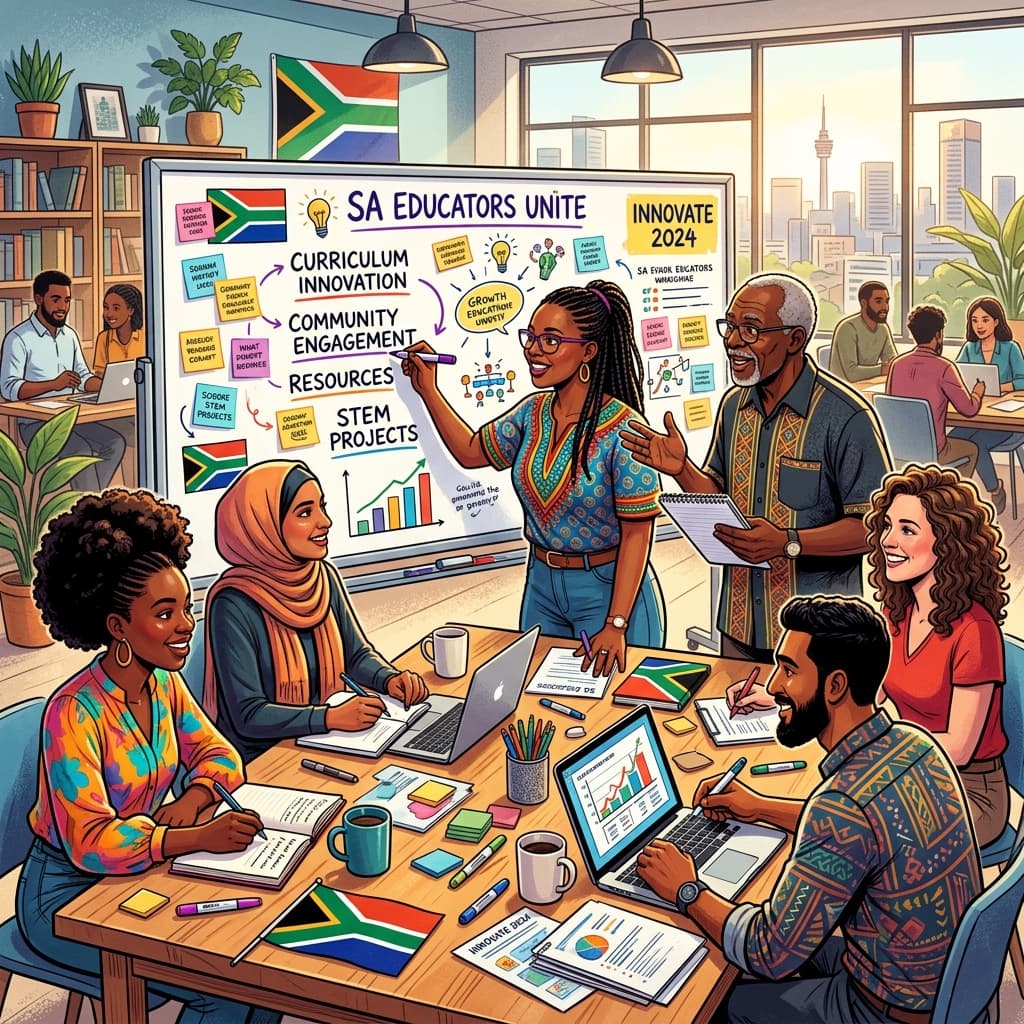
Navigating the modern educational landscape in South Africa often feels like running a marathon with unexpected hurdles. One of the most persistent and frustrating challenges many of us face, especially outside of well-resourced urban centres, is unreliable or non-existent internet connectivity. It’s a reality that can leave even the most dedicated teacher feeling overwhelmed and limited.
But here’s the empowering truth: while connectivity issues present significant obstacles, they do not have to define the quality of education you provide. As South African educators, our resourcefulness and resilience are legendary. This post is dedicated to equipping you with practical, actionable strategies to not just survive, but to thrive and teach effectively, even when the internet lets you down. We'll explore how to maximise offline learning, adapt your resources, and continue fostering curious minds, all while aligning with the CAPS curriculum's core objectives.
The Reality of Connectivity in South African Classrooms
Let’s be honest: the "digital divide" isn't just a buzzword; it's our daily lived experience. Many schools grapple with:
- No internet access at all: A complete absence of connectivity, rendering online resources useless.
- Intermittent connectivity: Sporadic access that makes consistent online work impossible.
- Slow speeds: Even when connected, downloads crawl, and streaming is a distant dream.
- Limited data bundles: High costs and limited allowances for both schools and individual teachers/learners.
- Lack of devices: Few or no computers, tablets, or even functional smartphones for learners.
These challenges are real and frustrating. However, instead of allowing them to paralyse us, let's reframe them as opportunities to innovate, to rediscover powerful pedagogical approaches, and to build even stronger, more resilient learners.
Shifting Your Mindset: The Power of Preparedness and Pedagogy
The first step towards effective teaching with poor internet is a mindset shift. Instead of lamenting what you don't have, focus on what you can control: your planning, your resources, and your teaching methodologies.
Embrace the "Offline First" Approach
Imagine every lesson as if there will be no internet. This proactive planning is your greatest ally. It forces you to think about:
- What resources can I prepare before I get to class?
- How can I deliver this content using low-tech or no-tech methods?
- What activities engage learners without needing a screen?
This doesn't mean abandoning technology entirely if you occasionally get a signal; it means being robustly prepared for when you don't.
Pre-Emptive Strikes: Maximising Limited Online Time
Even if internet access is rare, make the most of those precious moments. Think of yourself as a strategic digital hunter, gathering resources for the long offline winter.
Strategic Downloads and Resource Curation
When you do find a reliable signal (at home, a community centre, or a brief moment at school):
Batch Download Content:
- CAPS Documents and Exemplars: Download the full CAPS documents for your subjects and grades from the DBE website. Save them to your phone, flash drive, or personal laptop. This ensures you always have the curriculum at your fingertips for lesson planning, assessment design, and resource creation.
- Educational Videos: Use apps or websites that allow offline viewing (e.g., YouTube Premium, if accessible, or download tools for educational videos from reputable sources like Siyavula, Khan Academy, or even local university channels). Store these on a flash drive or an external hard drive.
- Relevant Articles and PDFs: Find articles, case studies, news reports, or historical documents related to your CAPS topics. Save them as PDFs for reading or printing.
- Images and Infographics: High-quality images, maps, diagrams, and infographics can be powerful visual aids. Download and save them for printing or displaying.
- Lesson Plans and Worksheets: Search for and download free lesson plans or worksheet templates that you can adapt to your context.
Utilise Offline Apps and Software:
- Wikipedia Offline: Apps like Kiwix allow you to download entire chunks of Wikipedia or even Project Gutenberg (free books) for offline access. This is an incredible resource for research and general knowledge.
- Offline Encyclopaedias: Some educational software provides entire encyclopaedias that can be installed on a computer without needing internet.
- Office Suites: Ensure you have LibreOffice or Microsoft Office installed on any available computer to create documents, presentations, and spreadsheets offline.
Sync and Backup:
- Regularly back up your downloaded resources to multiple locations (flash drive, external hard drive, cloud service when available). This prevents loss and ensures you have a library of resources ready.
Practical Example: Before a Social Sciences lesson on apartheid, you could download a few key historical photographs, a simplified timeline, and a short, impactful video clip (if you have a way to play it offline, like on a phone connected to a TV via HDMI, or on a laptop). These visuals become powerful discussion starters.
Embracing Offline Pedagogies: Tried and True Methods
Many of the most effective teaching strategies predate the internet and remain incredibly powerful. CAPS itself encourages active, learner-centred methodologies that are perfectly suited to low-tech environments.
1. Interactive Whiteboards (The Analogue Kind!)
Don't underestimate the power of your chalkboard, whiteboard, or even large flip charts.
- Purposeful Writing: Don't just copy; use it to model, explain, summarise, and guide discussions.
- Graphic Organisers: Draw mind maps, Venn diagrams, flowcharts directly on the board with learners' input.
- "Parking Lot" for Questions: Designate a section for learner questions to be addressed later.
- Co-created Summaries: Work with learners to summarise key points at the end of a lesson, writing them on the board as you go.
2. Collaborative Group Work and Peer Learning
This is a cornerstone of effective teaching and perfectly internet-independent.
- Jigsaw Method: Divide a topic into sub-sections. Assign each sub-section to a 'home group' member. Members then meet in 'expert groups' to master their sub-section. Finally, they return to their home groups to teach their peers. This promotes deep understanding and accountability.
- Think-Pair-Share: Pose a question, give learners time to think individually, then discuss with a partner, and finally share with the whole class. Excellent for fostering critical thinking and communication.
- Problem-Solving Challenges: Present real-world problems relevant to the CAPS curriculum (e.g., in Maths, Science, EMS). Learners work in groups to devise solutions using available materials and their own knowledge.
- Debates and Discussions: Structure debates around controversial topics in Social Sciences, Life Orientation, or even literature. Encourage learners to research arguments using textbooks and local knowledge.
CAPS Connection: Group work directly addresses CAPS' emphasis on communication, collaboration, and critical thinking skills across all subjects.
3. Project-Based Learning (PBL)
PBL allows learners to explore topics deeply over an extended period, culminating in a tangible product or presentation. It thrives on learner autonomy and local resources.
- Real-World Connections: Design projects around local issues or phenomena. For a Natural Sciences project on ecosystems, learners could study the school garden or a nearby natural area, observing plants and animals.
- Research Beyond the Screen: Guide learners to use textbooks, library books (if available), interviews with community members, and observations as primary research methods.
- Varied Outputs: Projects don't need digital presentations. Learners can create:
- Posters
- Models (e.g., a water filtration system for Technology)
- Skits or role-plays
- Community surveys
- Written reports or essays
- Art installations or murals
Practical Example: For a Grade 7 Social Sciences project on local history, learners could interview elders in the community, visit local historical sites, and then present their findings through a mural, a short play, or a written collection of oral histories.
4. Experiential Learning and Field Trips (Localised)
Bring learning to life by stepping outside the classroom, even if it’s just into the schoolyard or a nearby safe space.
- School Garden as a Lab: Use the school garden for Natural Sciences (plant growth, ecosystems), Maths (measuring plots, calculating yield), or Life Skills (healthy eating).
- Community Walks: Explore the local environment for Geography (landforms, human settlements), Life Orientation (community services), or Art (observing patterns and colours).
- Guest Speakers: Invite community members with specific skills or knowledge (e.g., a local entrepreneur for EMS, a traditional healer for Life Orientation, a carpenter for Technology) to speak to the class.
Resourcefulness is Your Superpower: Creating Low-Tech Materials
Your hands-on creativity in preparing resources can transform lessons.
1. Worksheets and Handouts
- Design for Clarity: Create engaging worksheets with clear instructions, diverse question types, and ample space for answers.
- Leverage School Duplication: Make the most of your school’s photocopy machine, even if it's limited. Prioritise essential materials.
- Reuse and Recycle: Encourage learners to use scrap paper. Laminated worksheets can be used repeatedly with whiteboard markers.
- Templates: Create master templates for different activities (e.g., Venn diagrams, graphic organisers) that learners can copy into their books or trace.
2. Visual Aids
Visuals are crucial for comprehension and engagement, especially without the internet.
- Posters and Charts: Create large, colourful posters for key concepts, vocabulary, diagrams, maps, or timelines. These can be displayed permanently.
- Flashcards: Excellent for vocabulary, facts, or revision. Learners can even make their own.
- Realia: Bring real objects into the classroom (e.g., different types of soil for Natural Sciences, various packaging for EMS, traditional crafts for Social Sciences).
- Student-Created Visuals: Encourage learners to draw, sketch, and create their own visual representations of concepts.
3. Manipulatives and Hands-On Materials
Especially vital for younger grades and subjects like Maths and Natural Sciences.
- Counting Aids: Bottle caps, pebbles, sticks, beads.
- Fraction Kits: Cut paper circles or squares into fractions.
- Science Experiment Kits: Collect simple, safe household items (bottles, balloons, string, vinegar, baking soda) for hands-on experiments.
- Building Blocks/Construction Sets: Use for exploring shapes, structures, and problem-solving.
4. Maximising Textbooks and Library Resources
Your textbooks are incredibly valuable, often underutilised.
- Beyond Reading: Use textbook images for discussion, graphs for analysis, and end-of-chapter questions for assessment.
- School Library: If your school has a library, even a small one, teach learners how to use it effectively for research. Dedicate lessons to library skills.
- Classroom Reading Corner: Set up a small collection of age-appropriate books, magazines, or newspapers.
5. Peer-to-Peer Resource Sharing
Connect with colleagues at your school or in your cluster.
- Shared Resource Bank: Create a physical or digital (on a shared flash drive) collection of downloaded materials, self-made worksheets, and lesson plans.
- Mentorship: Experienced teachers often have a wealth of low-tech resources and strategies. Learn from them.
Leveraging Existing (Basic) Technology
Even in resource-constrained environments, you might have access to some basic tech that can be cleverly integrated.
1. Your Own Mobile Phone
Your smartphone can be a powerful offline teaching tool:
- Camera: Use it to capture images of local phenomena, record short demonstrations (if learners can view), or document learner work.
- Pre-loaded Content: Store images, PDFs, short video clips, or audio recordings directly on your phone.
- Flashlight: Useful for demonstrations or just finding things in a dark classroom.
- Alarm/Timer: For managing group activities.
Important Note: Be mindful of data costs and screen time. Your phone is a tool, not a replacement for direct interaction. Avoid relying on it if it means personal financial strain.
2. Basic Projectors or DVD Players
If your school has an old projector or a DVD player, they can be repurposed.
- Pre-downloaded Videos: Play downloaded educational videos from a USB stick or DVD.
- Visual Displays: Project static images or PDFs saved on a laptop.
3. Radio and Television (If Available)
- Educational Broadcasts: Stay informed about any educational radio or TV programmes (e.g., SABC Education) that might be relevant to your CAPS subjects. If you have access to a classroom radio or TV, these can be powerful tools.
Effective Assessment in an Offline World
Assessment remains crucial, and many traditional, effective methods don't require internet.
1. Observation
- Formative Assessment: Systematically observe learners during group work, discussions, and practical activities. Use checklists or anecdotal notes to track participation, understanding, and skill development.
- Anecdotal Records: Keep a small notebook to jot down observations about individual learners' progress, misconceptions, or breakthroughs.
2. Oral Quizzes and Discussions
- Check for Understanding: Ask targeted questions during or after a lesson.
- "Exit Tickets": Ask learners to orally share one thing they learned or one question they still have before leaving.
- Recap Sessions: Start lessons with a quick oral recap of the previous day's content.
3. Written Tasks and Projects
- Essays and Reports: Assess writing skills, content knowledge, and critical thinking.
- Worksheets and Quizzes: Standard written assessments that test recall and application.
- Project-Based Assessment: Use rubrics to assess the various components of a project (research, presentation, creativity, content accuracy).
4. Peer and Self-Assessment
- Peer Feedback: Teach learners how to provide constructive feedback on each other's work (e.g., during group presentations or writing tasks).
- Self-Reflection Journals: Encourage learners to reflect on their own learning process, challenges, and successes.
CAPS Alignment: CAPS promotes continuous assessment, and these offline methods provide rich data for both formative and summative evaluation without relying on digital platforms.
Building a Supportive Ecosystem: Parents, Community, and Colleagues
You are not alone in this challenge. Cultivating a strong support network can significantly enhance your teaching effectiveness.
1. Involving Parents and Guardians
- Clear Communication: Regular parent meetings (even if informal) or written newsletters (sent via learners) can keep parents informed about what's being learned and how they can support at home, even without internet.
- Home Learning Activities: Provide simple, offline activities or discussion points that parents can engage in with their children.
2. Leveraging Community Resources
- Local Library/Community Centre: Explore if there are any local libraries or community centres with internet access that learners could use (supervised) for specific research tasks during non-school hours.
- Community Experts: Invite local artisans, farmers, nurses, or other professionals to share their knowledge and skills in class, enriching learning and connecting it to real-world applications.
3. Teacher Networks and Collaboration
- School-Based Support: Regularly meet with colleagues to share resources, discuss challenges, and brainstorm solutions. You might find another teacher has downloaded an amazing resource you need.
- Cluster Meetings: Use these as opportunities to connect with teachers from other schools in your area. Share best practices for offline teaching.
- Professional Learning Communities (PLCs): Form or join PLCs focusing on specific subjects or pedagogical approaches. These can be powerful engines for professional growth, even without online interaction.
Professional Development (Beyond the Internet)
Continuous learning is vital for teachers, and it doesn't always need a broadband connection.
- Workshops and Training: Actively seek out and attend district-level or provincial workshops. These often focus on CAPS implementation, assessment, and subject-specific content, providing valuable face-to-face learning.
- Reading Professional Journals and Books: Make time to read educational publications, both local and international.
- Mentorship: Find a mentor, or become one. The exchange of experience and wisdom is invaluable.
Teacher Wellbeing: Sustaining Your Energy
Teaching effectively with limited resources can be emotionally and physically draining. Remember to prioritise your own wellbeing.
- Set Boundaries: It’s easy to feel overwhelmed. Know when to switch off and rest.
- Celebrate Small Victories: Acknowledge your efforts and the progress of your learners, no matter how small.
- Connect with Colleagues: A strong support network can help you process challenges and find solutions.
- Hobbies and Self-Care: Engage in activities outside of school that bring you joy and help you recharge. A well-rested and supported teacher is a more effective teacher.
Conclusion: Empowering Education, No Matter the Connection
Teaching effectively with poor internet connectivity is not just about coping; it's about reclaiming the essence of impactful education. It's about remembering that the greatest resource in any classroom is you, the teacher, and the inherent curiosity of your learners.
By embracing an "offline first" mindset, strategically leveraging limited online time, rediscovering powerful low-tech pedagogies, and fostering a spirit of resourcefulness and collaboration, you can continue to deliver a rich, engaging, and CAPS-aligned education.
You are not simply teaching; you are building resilience, fostering critical thinking, and empowering the next generation of South Africans to adapt, innovate, and thrive in any circumstances. Keep innovating, keep inspiring, and know that your dedication truly makes a profound difference.
Tyler. M
Dedicated to empowering South African teachers through modern AI strategies, research-backed pedagogy, and policy insights.