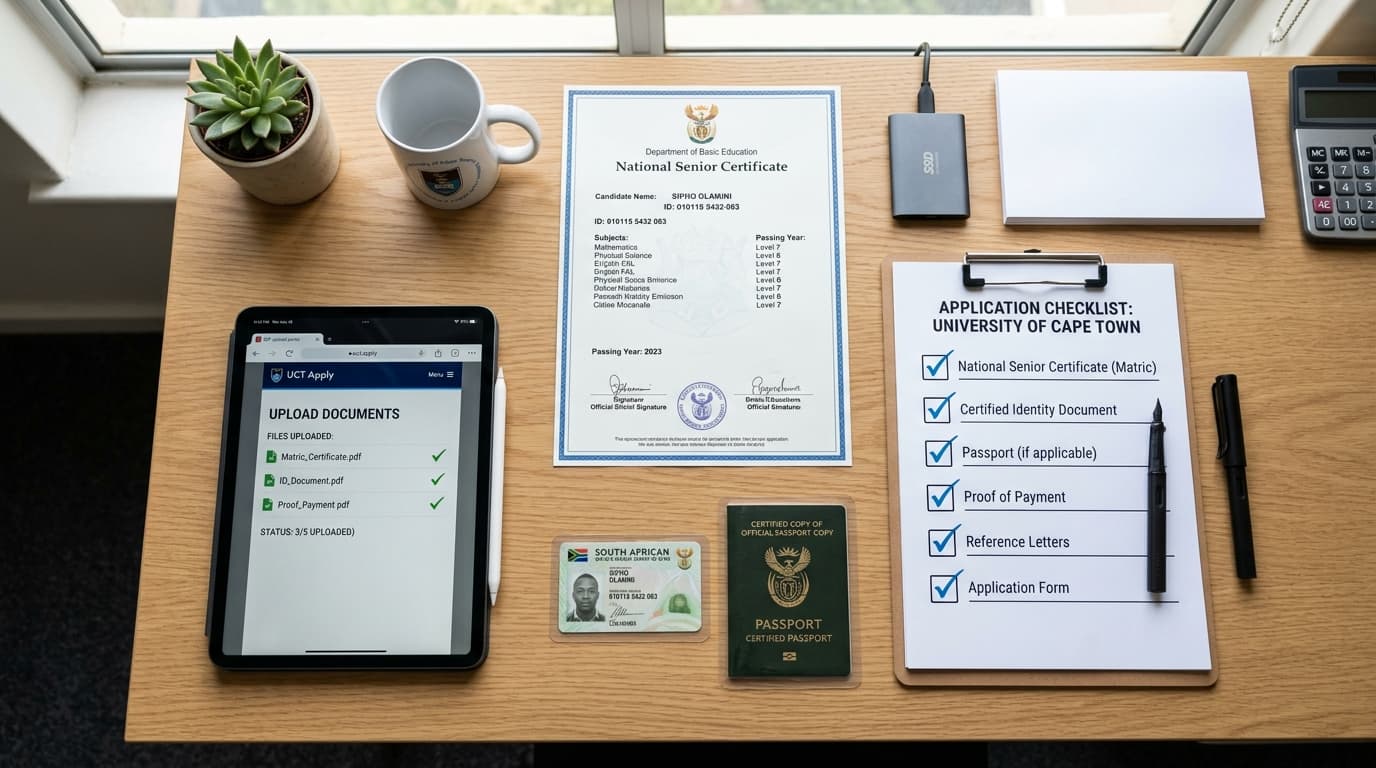
Every academic admissions cycle, tens of thousands of ambitious South Africans sit before their screens to apply at UNISA. They spend hours evaluating qualification options, calculating their Admission Point Scores (APS), and envisioning their future academic milestones. Yet, admissions statistics consistently reveal a sobering reality: over a quarter of all delayed, suspended, or rejected applications fail not because the applicants lacked the required academic merits, but because of administrative and documentation errors.
A blurry cellphone photograph of a matric certificate, an expired police certification stamp, a file saved in an unsupported format, or a missing academic transcript from a previous college can bring an otherwise exemplary application to an abrupt standstill. Because UNISA operates as an Open Distance e-Learning institution processing hundreds of thousands of candidate files, the admissions bureau relies on automated document parsers and strict verification protocols. There is no admissions officer sitting next to you to ask for a clearer scan. If your files fail compliance, your application is disqualified.
To ensure your application transitions smoothly from initial submission to a verified offer of admission, this definitive handbook outlines every single document required when you apply at UNISA, accompanied by essential scanning protocols, legal certification standards, and troubleshooting advice.
1. The Legal Gold Standard for Document Certification in South Africa
Before examining specific document requirements by applicant category, every candidate must understand South African legal standards regarding document certification. A standard photocopy is legally void for university admissions unless properly attested by an authorized Commissioner of Oaths.
Who Qualifies as a Commissioner of Oaths?
You can get your photocopies certified free of charge across several public institutions:
- South African Police Service (SAPS): Available 24/7 at any local police station charge office.
- The South African Post Office (SAPO): Post office branch managers and senior tellers.
- Magistrate’s Courts and Municipal Offices: Court clerks, administrative officers, and municipal commissioners.
- Banking Institutions: Branch managers and designated bank officials.
- Practicing Attorneys and Chartered Accountants: Legal practitioners registered with the Legal Practice Council.
The 3-Month Validity Rule
When you apply at UNISA, the university enforces a strict freshness standard: all certified copies must have been certified within the preceding three (3) calendar months of your application date. If you attempt to upload a matric certificate certified six months or a year prior, the automated verification engine or reviewing registrar will mark your file as "Expired Certification", placing your application on administrative hold.
What Must Appear on the Certification Stamp?
When the Commissioner of Oaths stamps your photocopy, ensure that the stamp is clear, legible, and contains:
- The wording: "Certified a true copy of the original document".
- The signature of the Commissioner in ink.
- The printed name, designation, and official registration / force number of the commissioner.
- The clear date stamp reflecting the day, month, and year of attestation.
Crucial Warning: Never take a photograph of your original document and then place a stamp on the photograph. Always photocopy the original document first in clear black-and-white, have that physical paper photocopy physically stamped and signed by the Commissioner, and then scan that stamped physical sheet into PDF format.
2. Comprehensive Documentation Checklist by Applicant Type
Requirements differ substantially depending on whether you are stepping straight out of high school, holding an older matric certificate, transferring from another university, or enrolling as an international student.
graph TD
    A[Determine Your Applicant Category] --> B[Current Grade 12 Learner]
    A --> C[Completed Matriculant NSC/SC]
    A --> D[Transferring Tertiary Student]
    A --> E[International Candidate]

    B --> F[Certified Grade 11 Final Report + Grade 12 Term 2 June Report + Certified ID]
    C --> G[Certified Umalusi Matric Certificate / Statement + Certified ID]
    D --> H[Certified Matric + Certified ID + Official Academic Transcript + Conduct Certificate]
    E --> I[Certified Passport + Certified School Certificates + Sworn Translations + SAQA Evaluation]

    F --> J[Combine Each Category into Dedicated PDF < 2MB]
    G --> J
    H --> J
    I --> J
    J --> K[Upload to Official UNISA Admissions Portal]
Category 1: Current Grade 12 High School Learners
If you are currently registered for and writing your matric year when you apply at UNISA, you do not yet possess a National Senior Certificate. UNISA evaluates your academic potential based on your historical high school performance:
- Certified Copy of Your South African Identity Document (ID) or permanent residence permit.
- Certified Copy of Your Final Grade 11 Report: This must be the official year-end December report issued by your high school, reflecting your final percentage marks across all seven subjects.
- Certified Copy of Your Grade 12 June / Term 2 Progress Report: Demonstrates your current academic trajectory leading into trial examinations.
Category 2: Completed Matriculants (National Senior Certificate / Senior Certificate)
If you finished high school in previous years, you must submit proof of your completed secondary education:
- Certified Copy of Your South African ID (both sides of the Smart ID card photocopied onto a single page, or the biographical page of the green barcoded ID book).
- Certified Copy of Your National Senior Certificate (NSC) or Senior Certificate (SC): Issued by Umalusi.
- Statement of Results: If you wrote matric within the last 12 months and Umalusi has not yet dispatched your final physical certificate, a certified copy of your official provincial Department of Basic Education statement of symbols is acceptable on a provisional basis.
Category 3: Transferring Tertiary and College Students
If you have previously registered at, studied through, or graduated from another higher education institution (such as TVET colleges, universities of technology, or contact universities), you are legally obligated to disclose your complete post-school academic record:
- Certified Copy of Your ID or Passport.
- Certified Copy of Your Matric Certificate.
- Official Academic Record / Transcript: This must be a formal document stamped and issued by your previous university's registrar or examinations department, detailing every module enrolled, credits attempted, percentages achieved, and pass/fail statuses. Web screenshots or student portal printouts are rejected.
- Certificate of Conduct: An official letter from your former institution confirming that you were not expelled or suspended for disciplinary or academic misconduct.
- Degree / Diploma Completion Certificate: If you successfully graduated from your previous qualification, provide a certified copy of your graduation scroll or certificate.
Category 4: Applicants with Name Discrepancies
If the surname or first names appearing on your high school certificate differ in any way from the names reflected on your national identity document (most commonly due to marriage, divorce, or formal legal name changes under the Births and Deaths Registration Act):
- Certified Copy of Your Marriage Certificate (issued by the Department of Home Affairs).
- Certified Copy of Your Decree of Divorce (if reverting to a maiden surname).
- Official Deed Poll / Name Change Letter: Issued by Home Affairs confirming the legal amendment.
- Sworn Affidavit: A formal affidavit signed before a Commissioner of Oaths explaining the discrepancy between your academic records and current identity credentials.
Category 5: International and Foreign Applicants
UNISA proudly welcomes students from across Africa and around the globe, but foreign credentials must undergo rigorous verification:
- Certified Copy of Your Valid International Passport: Highlighting personal biographic details, photo, and expiry date.
- Certified Copy of Your High School Leaving Qualification: (e.g., Cambridge O/A Levels, IB Diploma, WAEC, ZIMSEC, Baccalaureate).
- Certified Sworn English Translation: If your original academic certificates were issued in French, Portuguese, Arabic, or another language, they must be accompanied by an official translation certified by a sworn court translator.
- South African Qualifications Authority (SAQA) Certificate of Evaluation: All non-South African qualifications must be evaluated by SAQA to determine their National Qualifications Framework (NQF) equivalency. You must upload the official SAQA evaluation certificate when you apply at UNISA.
Category 6: Students Applying with Disabilities
UNISA is deeply committed to universal educational access and maintains a specialized Advocacy and Resource Centre for Students with Disabilities (ARCSWiD). If you require tailored examination accommodations (e.g., screen readers, braille transcripts, additional examination time, or modified digital learning materials):
- Certified Medical Certificate or Psychological Assessment: Completed by a registered medical practitioner, audiologist, optometrist, or educational psychologist detailing the nature of your disability and specific pedagogical accommodation needs.
Study Guide Creator
Transform your notes into structured study guides for learners.
3. Technical File Specifications: Avoiding Technical Upload Failures
Even with certified paper documents in hand, technical carelessness during the digital scanning phase can derail your application. The UNISA portal uses an automated document ingestion pipeline governed by rigid technical boundaries.
1. The PDF File Format Requirement
Every document uploaded to the UNISA portal must be saved in PDF format (.pdf).
- ❌ Do NOT upload:
.jpg,.jpeg,.png,.bmp,.doc,.docx, or.zipfiles. - The upload portal will either immediately throw an error message or corrupt the upload pipeline if non-PDF formats are introduced.
2. The 2 Megabyte (2MB) Size Ceiling
No single file can exceed 2MB (2,048 Kilobytes) in size. If your scanner defaults to color scanning at 600 DPI, a two-page PDF can easily balloon to 15MB, triggering an instantaneous upload failure.
- Recommended Scanning Settings:
- Scan mode: Black and White (or Grayscale for photographs on ID cards).
- Resolution: 150 to 200 DPI (Dots Per Inch). This preserves crystal-clear textual legibility while generating a lightweight PDF file between 200KB and 600KB.
3. File Naming Best Practices
Name your files cleanly and logically so admissions staff can recognize them at a glance. Avoid spaces, slashes, brackets, and special characters:
- ✅
ID_Document_Sipho_Khoza.pdf - ✅
Matric_Certificate_Sipho_Khoza.pdf - ✅
Academic_Transcript_Previous_University.pdf - ❌
scan 001 (1) copy!!.pdf - ❌
my id doc final final/2026.pdf
4. Step-by-Step Walkthrough: Uploading Documents to the Portal
When you reach the documentation phase during your session to apply at UNISA online, follow this exact operational procedure:
- Review Required File Categories: The interface presents discrete upload slots corresponding to your qualification (e.g., "Identity Document", "School Leaving Certificate", "Academic Record").
- Select Browse / Choose File: Navigate to the dedicated folder on your computer where your optimized PDFs are stored.
- Attach and Confirm: Click the upload button. Wait for the upload progress bar to conclude.
- Inspect the Upload Status: The status column must transition from "Outstanding / Not Uploaded" to "Uploaded Successfully".
- Verify Preview: Click the preview icon beside each file to ensure the uploaded document is not blank, upside-down, or truncated.
[Certified Hard Copies in Hand]
            ⬇
[Scan at 150-200 DPI Black & White]
            ⬇
[Convert/Save Each Document as PDF < 2MB]
            ⬇
[Name Files Clearly: e.g., ID_Surname.pdf]
            ⬇
[Log in to unisa.ac.za/apply & Navigate to Documents Screen]
            ⬇
[Attach Each PDF to its Respective Category & Click Upload]
            ⬇
[Confirm Status Changes to 'Uploaded Successfully']
5. Troubleshooting Common Document Errors and Rejections
What happens if you submit your application, but your status tracking portal suddenly reads: "Documents Outstanding" or "Application Incomplete"? Do not panic. UNISA provides a remediation window to rectify document flaws.
Common Rejection Reasons and Instant Fixes
| Issue Logged on UNISA Portal | Root Cause | How to Fix It Immediately |
|---|---|---|
| "Document Illegible" | Blurry camera scan, excessive shadows, or low resolution | Rescan using a dedicated flatbed scanner or a mobile scanner app (like Adobe Scan) under bright lighting at 200 DPI. |
| "Certification Invalid" | Stamp is older than 3 months or missing commissioner registration number | Visit your nearest police station, obtain a fresh ink stamp with today's date, and re-upload. |
| "File Corrupted" | Upload was interrupted before finishing or format was force-renamed to .pdf | Ensure a stable internet connection, export fresh PDF from the original scanner software, and re-upload. |
| "Transcript Unofficial" | Candidate uploaded student portal printout instead of formal registrar statement | Contact your previous university's examinations office, request an official stamped academic record, and submit. |
| "Incomplete Document" | Only front of ID uploaded or back page of matric certificate omitted | Scan both sides of your ID card onto a single page; ensure all pages of multi-page transcripts are merged into one PDF. |
How to Upload Outstanding Documents Post-Submission
If UNISA requests additional documents after your initial application was logged:
- Go to the official UNISA website (
www.unisa.ac.za). - Navigate to Admissions > Upload Outstanding Documents.
- Enter your assigned 8-digit Student Number, Surname, and Date of Birth.
- Select the specific document type requested by the admissions bureau and upload your updated, compliant PDF file.
6. Final Document Verification Checklist
Before closing your application browser window, perform this rigorous quality audit:
- Date Verification: Every certified document reflects a Commissioner of Oaths date stamp less than 90 days old.
- Legibility: All text, subject percentages, certificate serial numbers, and identity numbers are sharp, upright, and clearly readable.
- ID Completeness: Both the front and back of your Smart ID card are scanned onto the same page.
- Format Integrity: Every uploaded file ends in
.pdfand is strictly smaller than 2MB. - Discrepancy Documentation: If my name differs on any record, a certified marriage certificate or official Home Affairs affidavit is attached.
- Disclosed Tertiary Records: If I previously registered at another university or college, an official stamped academic transcript and conduct certificate are included.
Taking the time to assemble, certify, and format your documentation with meticulous attention to detail is the single most powerful safeguard you have when you apply at UNISA. By presenting a clean, unambiguous, and fully compliant application packet, you remove bureaucratic roadblocks and fast-track your journey toward full university admission. Prepare your files today and embark on your academic studies with total confidence.
Andile. M
Dedicated to empowering South African teachers through modern AI strategies, research-backed pedagogy, and policy insights.